
What’s New In CEMLink6 — August 2026

We have plenty of CEMLink6 news to share!

Since our last “What’s New”, the VIM Technologies development team has been busy delivering new features, enhancements, and improvements designed to make CEMLink6 more powerful, efficient, and easier to use.

The continued evolution of CEMLink6 is shaped in large part by the people who use it every day. Feedback from our customers, Support team, and CEMLink Steering Committee helps us identify real-world challenges and prioritize improvements that provide meaningful value. This collaboration continues to play an important role in keeping CEMLink6 aligned with the changing needs of the emissions monitoring industry.

During this period, our development efforts have focused on a wide range of areas—from new tools and user-facing features to improvements in reporting, data management, system performance, and overall usability. Some of these changes introduce entirely new capabilities, while others enhance existing functionality or improve the reliability and efficiency of the system behind the scenes.

For this update, we’ve selected the most significant CEMLink6 features and enhancements released over approximately the past 16 months. While this isn’t an exhaustive list of everything that has changed, it highlights the improvements we believe will have the greatest impact on our customers.

If you are not currently running the latest version of CEMLink6, we encourage you to contact our Support team. We can review your current installation, discuss the features and improvements available to you, and help schedule an update. The best way to reach us is at support@vimtechnologies.com or by calling 1-866-484-6435 for immediate assistance.

With that, let’s take a look at some of the most important new features and improvements in CEMLink6!

Key Enhancements

Regulatory Reporting and Compliance Enhancements

Recent updates continue to expand CEMLink6’s reporting and compliance capabilities, helping users meet evolving regulatory requirements more efficiently.

1. Part 75 EDR Updates - Moved Part 75 EDR Generation

The Quarterly Reporting toolbar button was removed from the Compliance UI.
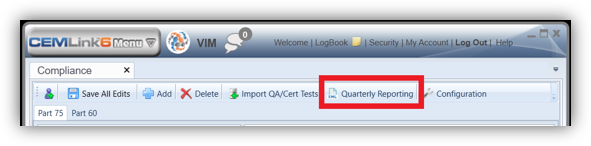
The Quarterly Reporting button is no longer in the toolbar of the Compliance tool.  The Part 75 EDR is now generated within the Part 75 section of Compliance.

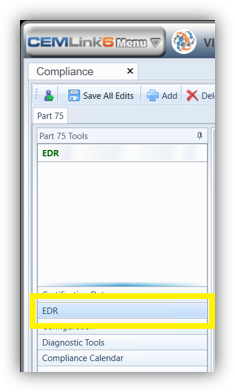
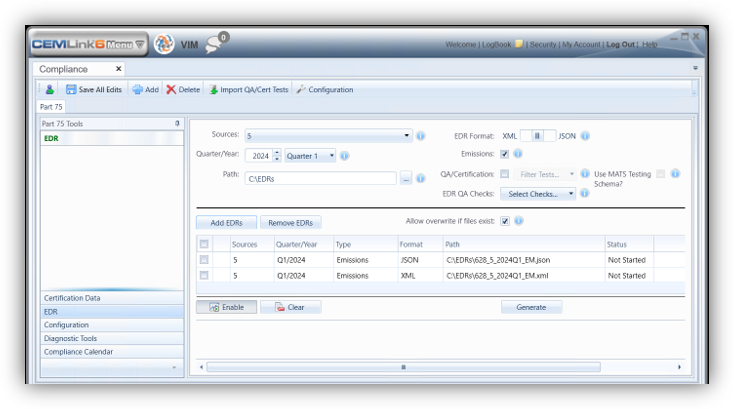
EDR Section is Now in Part 75 tab in Compliance

In the Part 75 Tools selection of the Part 75 tab of Compliance, there is a new EDR section.  Use this section to generate a Part 75 EDR.  The EDR generation still functions in the same manner but has moved to this new location.
2. Use MATS Testing Schema for QA/Cert JSON EDR
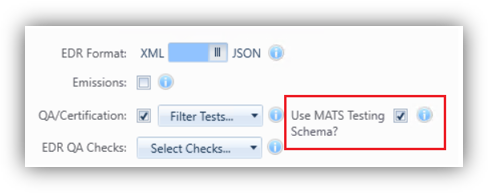
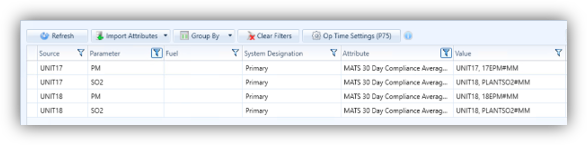
CEMLink6 was updated in this release to include a new option named “Use MATS Testing Schema?” for the QA/Cert JSON EDR. This option is designed to generate a QA/Cert JSON EDR for MATS / ECMPS 2.0 testing. This option is disabled by default. When enabled, certain MATS-only testing elements are included in the EDR output. These MATS-only testing elements include:

Compliance Averages Routine in QA/Cert JSON EDR

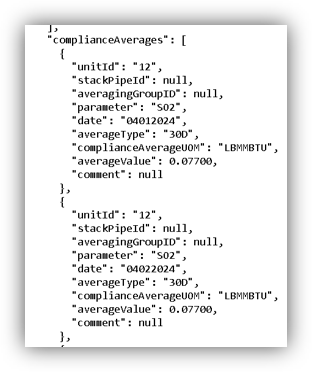
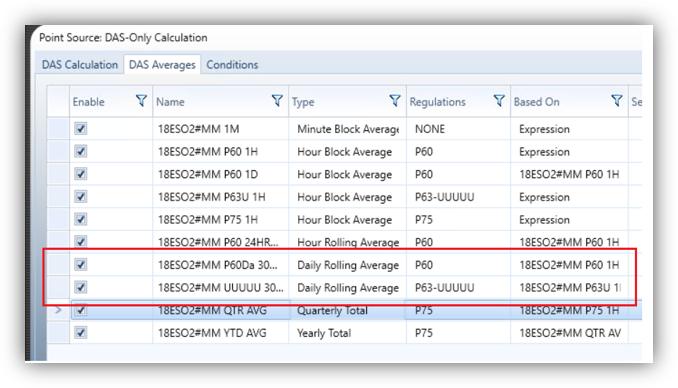
The Compliance Averages routine for the QA/Cert JSON EDR in CEMLink6 was updated in this release to accommodate systems that might be using both P60 and P63-5U 30-day and 90-day rolling averages. In cases where there are multiple averages available, the P63-5U averages are preferred over P60 and used for reporting in the Compliance Averages element.
Latest JSON Schemas

In late 2025, EPA released the final JSON schema files for the Emissions and QA/Certification EDRs. CEMLink6 was updated this release to support the new JSON element names in these schemas.

3. Compliance Calendar

Compliance Calendar is a feature that has been in CEMLink 6 for well over a decade. Despite its age, the 6.2.820 release continues to expand upon the capabilities of this feature.

Without a doubt, there are many areas in Compliance Calendar to highlight. One of its most notable features is the ability to deliver the results of the evaluation through a variety of interfaces. These interfaces include Compliance UI, Overview Dashboards, Excel Add-in, and even a SQL Server database view. This database view provides the ability for “super users” to connect other applications, such as Power BI, directly to the Compliance Calendar results for producing custom reports.

One particular enhancement was made to the Compliance Calendar SQL Server database view by adding the FFACC Reinstallation Date column, making it available in these external applications.

While there are no notable Compliance Calendar UI changes for this request, the addition of this information will help our “super users” with their reporting needs.
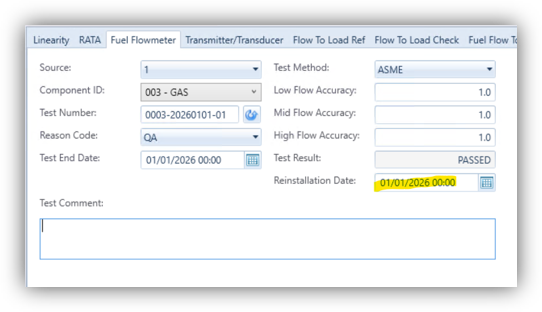
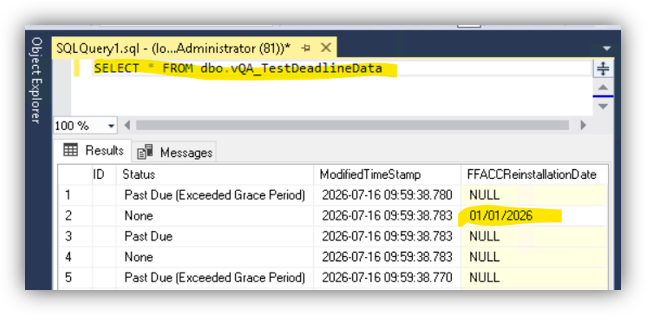
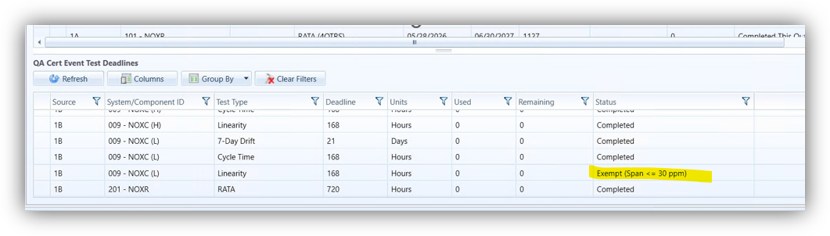
At the same time, the 6.2.820 release of CEMLink 6 also addresses an inconsistency between how Linearities are handled in the QA/Cert Event Deadlines interface and how Compliance Calendar handles them for ongoing QA. This inconsistency is specific to NOx and SO2 Linearities that are exempt when the span is <= 30 ppm. This has always worked for Compliance Calendar, but not for QA/Cert Events. With this release, the results of these evaluations are now marked consistently with Compliance Calendar. They were previously marked as Past Due and are now marked as “Exempt (Span <= 30 ppm)”.
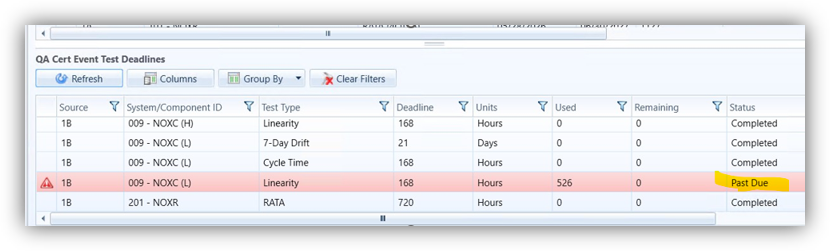
Before
After

Calculation Processing and Activity Visibility

Several recent enhancements focus on improving calculation performance and providing users with better visibility into system processing activities.

4. Calculation Check in Compliance/EDR

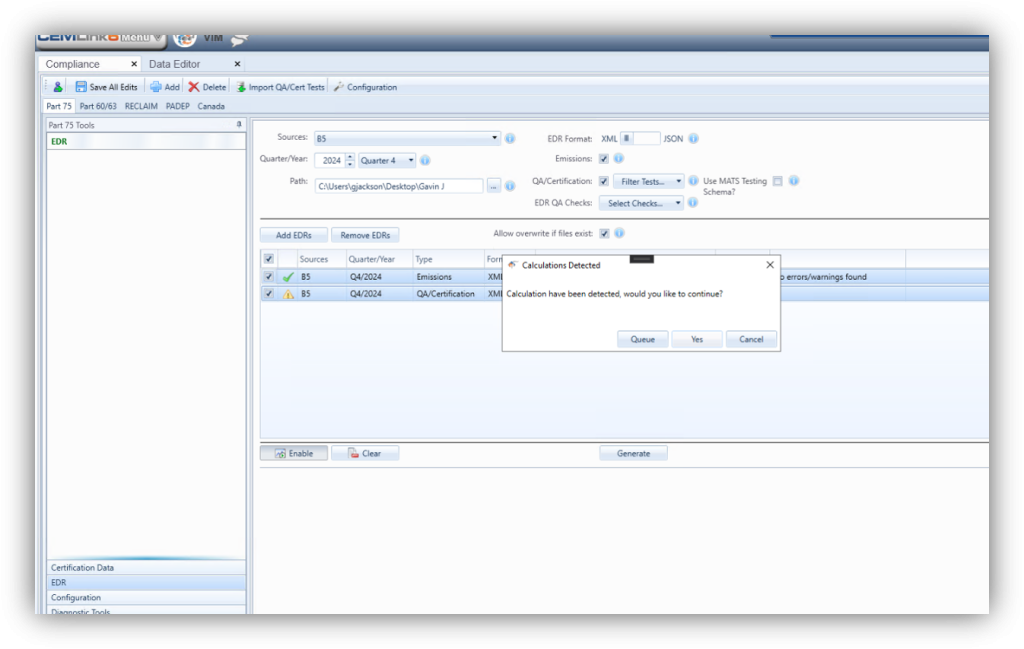
Within EDR tab in Compliance, the system can now check and inform the user when calculations are taking place. Please see an example of the screen below showing when calculations take place in the same source and within the date range.

There are 3 options:

  • Queue—Click to start a timer that will run every minute once clicked. It will check to see if calculations are taking place. If calculations are not taking place, the system will run the EDR only if the Compliance screen is still open.
  • Cancel—Click to cancel and close the dialog.
  • Yes—Click to ignore the calculations and generate the EDR even with calculations detected.
5. Calculation Service Updates – Parallel Calculations

The prior release of CEMLink6 (6.2.575.12) included some significant updates to Calculation Service such as the ability to run calculations in parallel.

Configuration Settings for Parallel Calculations

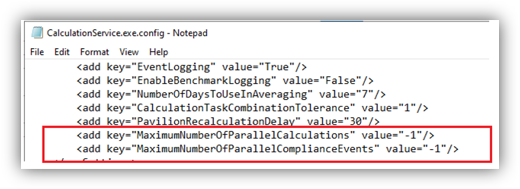
Running calculations in parallel has been a huge improvement for most customers. However, we discovered that customers running shared SQL Server instances hosting multiple CEMLink6 databases might not be able to run calculations for all databases in parallel due to the excessive load on the SQL Server. As a result, we decided to add two settings to optionally throttle back the number of simultaneous calculations and compliance events that can run in parallel at any one time. These two new settings are named MaximumNumberOfParallelCalculations and MaximumNumberOfParallelComplianceEvents, and they were added to the Calculation Service configuration file (locate in the CEMLink Services directory). This way, the sites with a shared SQL Server instance will still get some of the benefits of parallel calculations while still allowing for the workload to be balanced across all databases. These settings are set to -1 by default which allows the parallel calculations to run without any limits. The settings can be set to a specific number of calculations or a percentage of the workload (0.00 – 1.00).
Parallel Calculation Level Caching

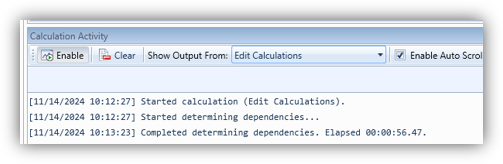
Determining what calculations can run in parallel was something that took time to complete and was resource intensive. Instead of doing this determination “on demand” each time there was a data edit, recalculation, etc., we decided to move this step to happen only once during the Save of the Configuration (or Parsing) and then cache the results. This helped with the speed of the dependency resolution step, which takes place at the beginning of data edits, recalculations, etc.
6. Calculation Activity Task Bar Widget

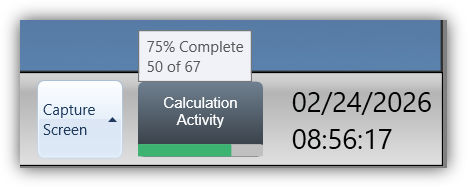
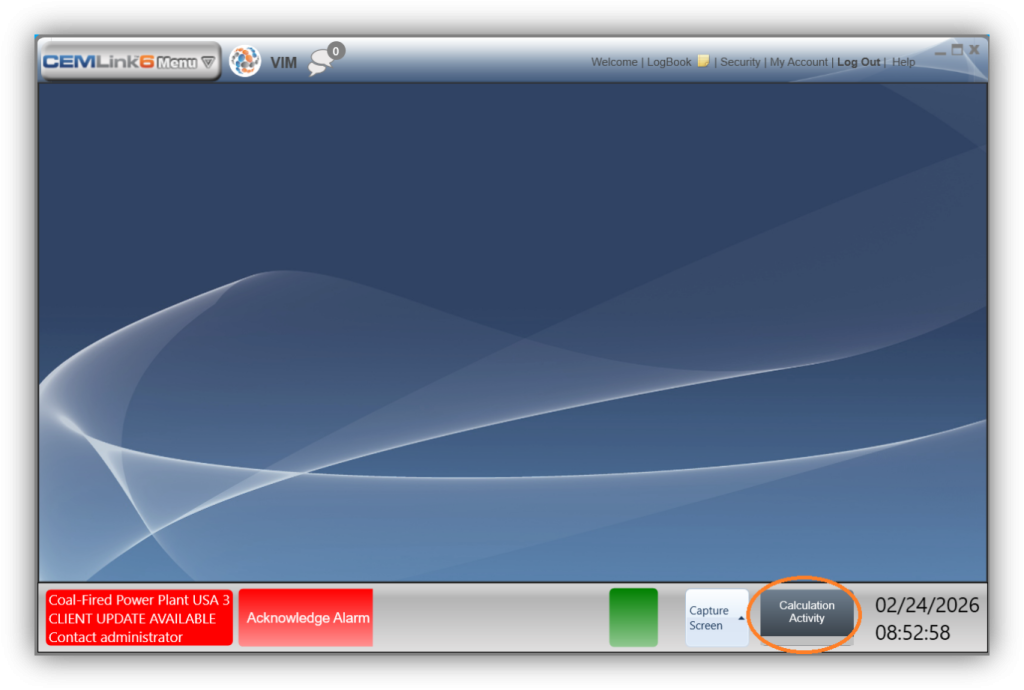
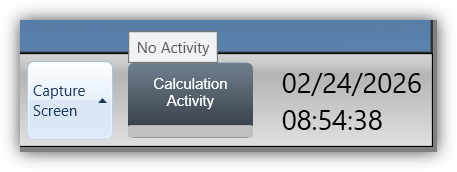
This release introduces a Calculation Activity widget on the bottom task bar of the main CEMLink Client window. This widget provides real-time visibility into background calculation activity performed by the Calculation Service.

Location

The Calculation Activity widget is located in the lower-right corner of the main CEMLink Client window, immediately to the right of the server date and time display.
Functionality

The widget provides a continuous visual indicator of calculation status:

  • Idle State
    When no calculations are running, the widget displays Calculation Activity with no progress indicator.
    Hovering over the widget displays a tooltip showing:
    No Activity
  • Active Calculation State
    When calculations are in progress, the widget displays a progress bar indicating current activity.

Hovering over the widget displays detailed progress information, including:

  • Percent complete
  • Number of calculations completed
  • Total number of calculations
  • Current calculation progress

Example tooltip:

75% Complete — 50 of 67 calculations processed

Purpose and Benefits

This feature allows users to:

  • Monitor calculation activity without opening additional screens
  • Confirm that calculations are actively progressing
  • Identify when calculations have completed

Improve overall visibility into system processing status.

7. Percent Completion in Calculation Activity Monitor

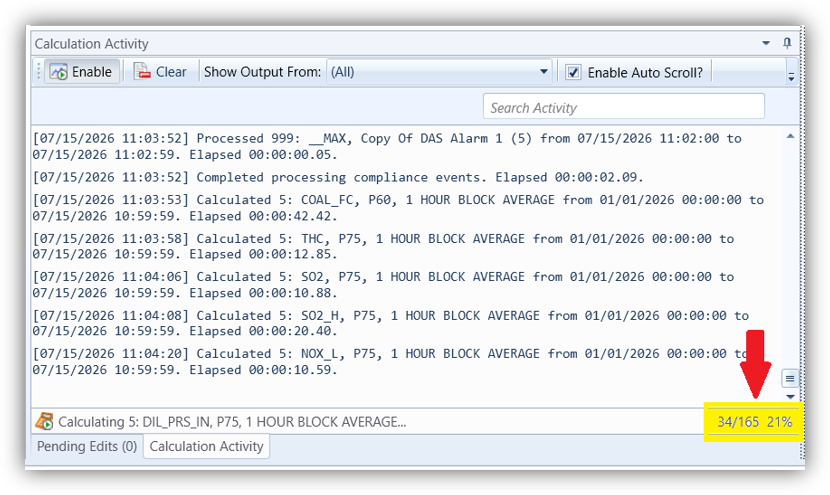
The Data Editor has a Calculation Activity monitor to display scheduled calculations or recalculations as they occur.

The bottom right corner of the Calculation Activity monitor now displays a percentage of completion.
Data Management and Data Quality Enhancements

New data-management tools provide greater flexibility when maintaining databases and managing recalculation activities.

8. Purge 1-minute Data Scheduled Task

Warning!! This task permanently removes data from the database prior to the specified timeframe.  You would have to recalculate to recover unintended purged 1-minute data.

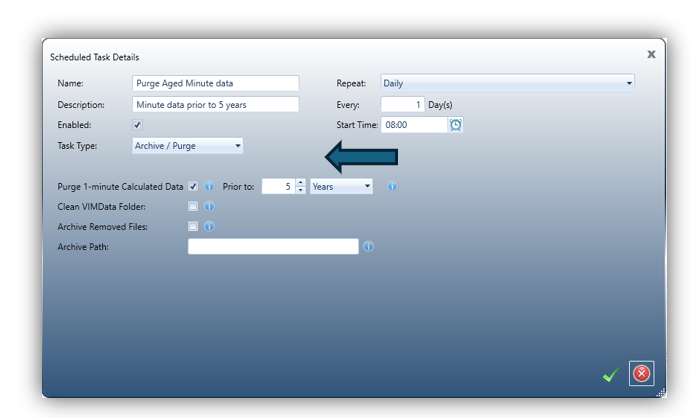
The CEMLink6 Scheduler now includes a feature to create and execute a scheduled task for purging 1-minute calculated data from the system database. This enhancement provides users with more flexibility in managing database growth, potentially improving system performance.

To configure this feature:

  • Select Archive / Purge from the Task Type dropdown.
  • Check the Purge 1-Minute Calculated Data This enables you to set a lookback period to specify a lookback period. Data older than the selected timeframe will be removed.

The default lookback period is set to 5 years, meaning all 1-minute calculated data older than 5 years will be purged. Please note that raw 1-minute data will not be affected.
9. Data Editor Updates

The Data Editor has been updated to add the ability to recalculate date greater than 1 hour and to check for a ready-only flag is present for one or more data points over a date/time range.

Recalculate Data Greater Than 1 hour

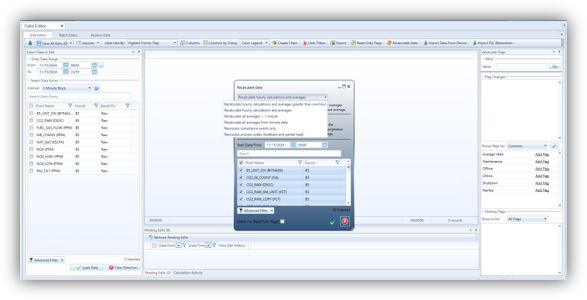
In the latest release of CEMLink6, you can recalculate larger intervals. This change is within the Recalculate Data screen in the Data Editor. Previously, there was no way to focus on recalculating averages and calculations for intervals greater than one hour. For example, this includes daily averages/totals, monthly averages/totals, and quarterly averages/totals. With this change, the recalculate data routine uses the same functionality as before, but now it will cover only intervals greater than one hour. The recalculation details will still be shown and tracked in the Calculation Activity tab.
Check for Read-Only Flags

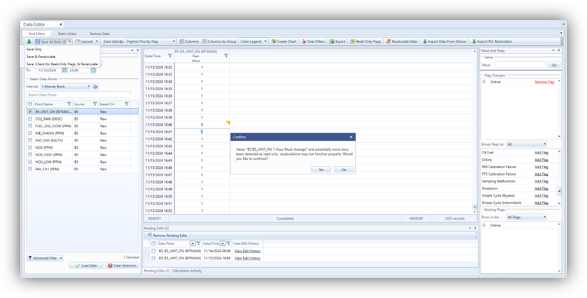
With the latest release of CEMLink6, we have added the ability to detect when a “Read-Only” flag is present for one or more data points over a date/time range. This conveniently happens before data is recalculated. This functionality is available from numerous areas in the Data Editor UI, including:

  • Grid Editor – Recalculate Data Dialog, Check For Read-Only Flags?
  • Grid Editor – Save, Check for Read-Only Flags, & Recalculate
  • Batch Editor – Save, Check for Read-Only Flags, & Recalculate
  • Restore Data – Save, Check for Read-Only Flags, & Recalculate

This addition into these areas will help the user to know exactly when there is a “Read-Only” flag present before attempting to recalculate data. Now, the user will know beforehand and can take any additional steps to remove the “Read-Only” flags if desired.

If ‘Save, Check for Read-Only Flags, & Recalculate’ has been selected within any of the aforementioned areas AND there has been a “Read-Only” flag detected, there will be a prompt displaying the data point and if the user would like to continue. The same functionality will take place within the Recalculate Data Dialog, but only if the ‘Check For Read-Only Flags?’ check box has been checked and a Read-Only Flag has been detected.
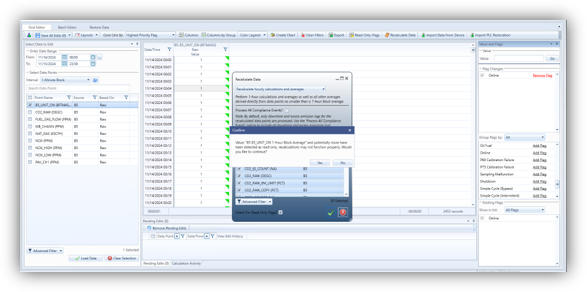
(Grid Editor - Recalculate Data Dialog)
(Grid Editor - Save, Check for Read-Only Flags, & Recalculate)

Operations and Maintenance Enhancements

Several enhancements were introduced to simplify maintenance activities and improve operational recordkeeping.

10. LogBook Entry in Maintenance Mode (Calibration Control)

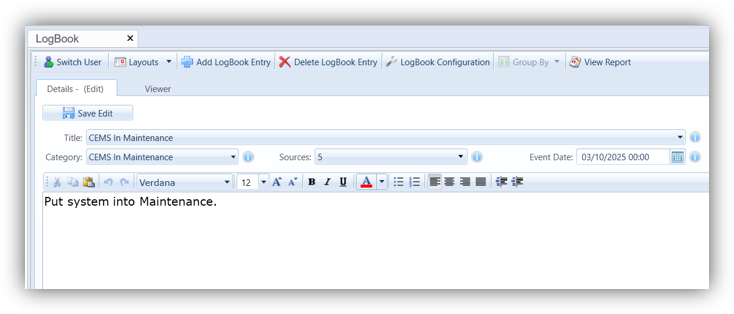
When the DAHS is put into Maintenance mode in Calibration Control, a new LogBook entry is automatically added, if configured to do so.

As part of the upgrade, a new LogBook Title, “CEMS In Maintenance”, has been added to the system.
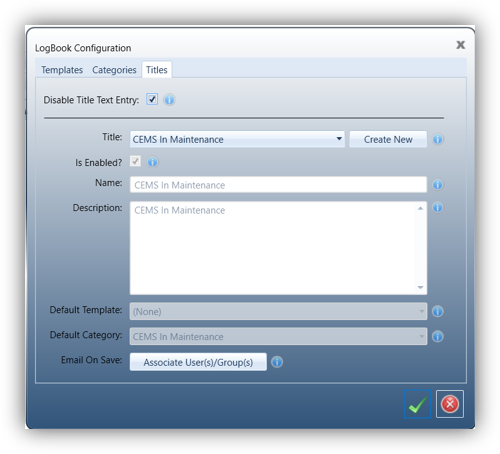
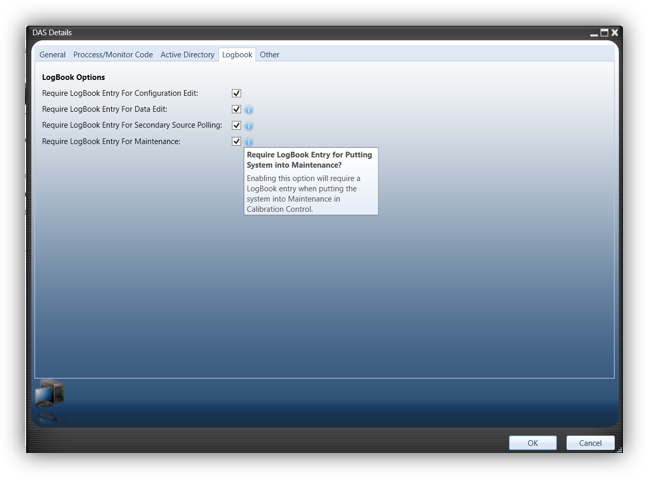
To enable the automatic creation of the maintenance LogBook entry, the option must be turned on in the Configuration UI.

From the Configuration UI, enter the DAS Details dialog.  In the LogBook tab of the DAS Details dialog, click on the “Require LogBook Entry For Maintenance” check box.  Turning on this option will automatically add a CEMS In Maintenance LogBook entry when turning on Maintenance in Calibration Control.
When clicking on the “Maintenance” button In the Calibration Control feature area, a dialog box will appear allowing for additional comments for the LogBook entry.
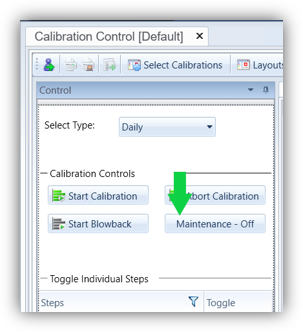
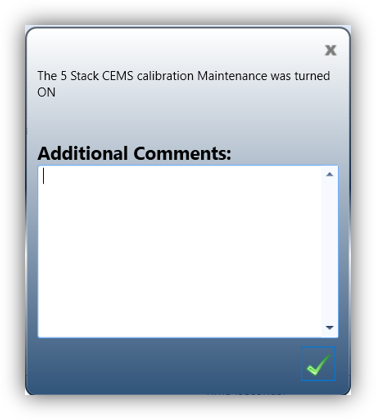
This LogBook entry is only created when turning Maintenance ON.
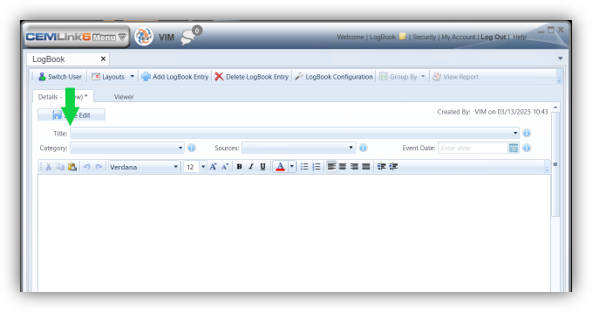
11. Disable the Text Entry for the Title in LogBook

The manual text entry for the Title of a LogBook entry can now be disabled.  If this is disabled, a title must be selected from the list of configured titles.

Disabling the manual text entry for the Title is done inside the LogBook Configuration dialog.

In the Titles tab of the LogBook configuration, click on the Disable Title Text Entry check box.  Checking this box will disable the manual text entry for the title.
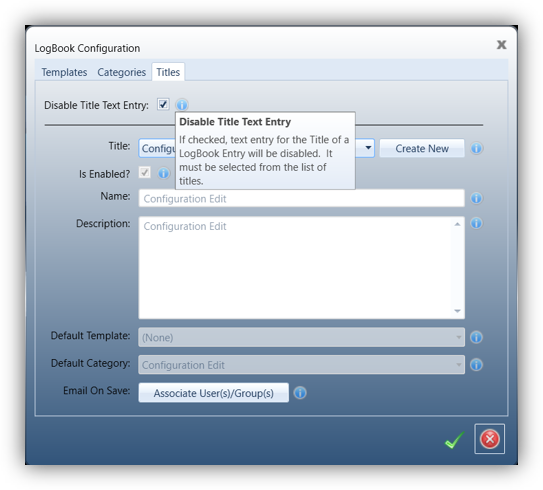
Once this option has been enabled, a Title must be selected from the list of configured titles to save the LogBook entry.
12. PLC Sampling System in Maintenance Alarm Condition

The PLC Sampling System in Maintenance is a new alarm condition that has been added to the system.

These alarm conditions are created for each sampling system when the update occurs.  The alarm condition is also created when a new sampling system is configured.
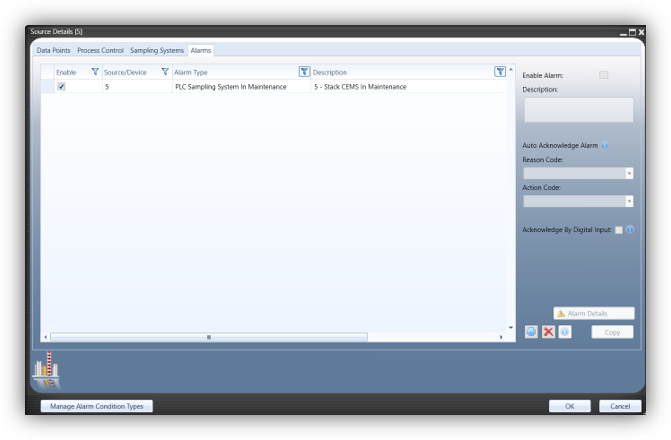
These alarm conditions are created as a Maintenance alarm.

Once created, the alarm condition can be modified by the user as necessary.
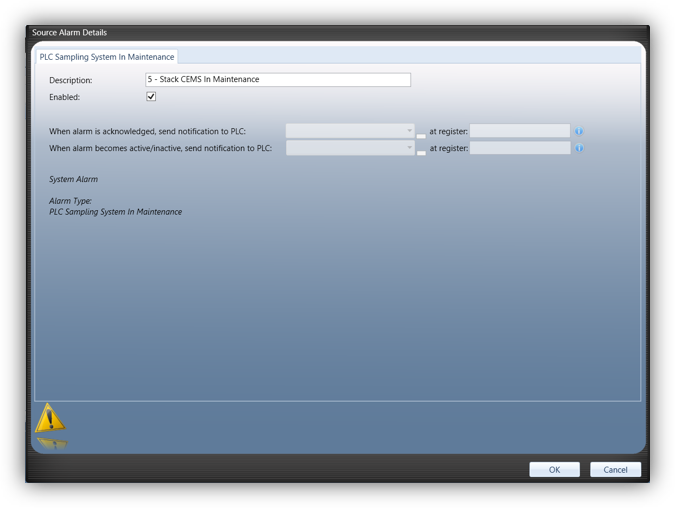
This alarm condition monitors the Sampling System Maintenance bit in the PLC for the corresponding Sampling System number.

Operational Visibility and Monitoring

These enhancements provide users with additional insight into equipment status and system conditions.

13. Cylinder Pressure in Activity Tab in Cylinder Management

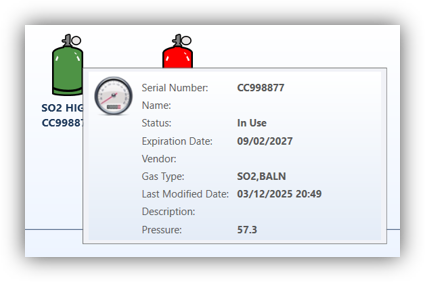
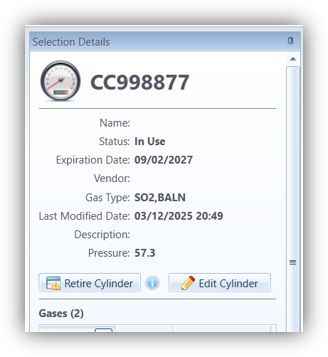
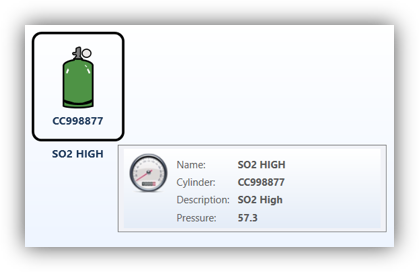
The pressure reading for a cylinder can be displayed in the Activity tab of Cylinder Management.

To display the cylinder pressure in the Activity tab, you must configure a data point indicating the pressure value for the cylinder for a Location.  In the Locations tab, select a Location.  The Low Pressure Indicator must be switched to “Analog Reading.”  Once “Analog Reading” has been selected, the Low Pressure Analog Reading option with a list of data points is visible.

Selecting a data point for the Low Pressure Analog Reading will make the Pressure value visible in the Activity tab when a cylinder is in service within the Location.
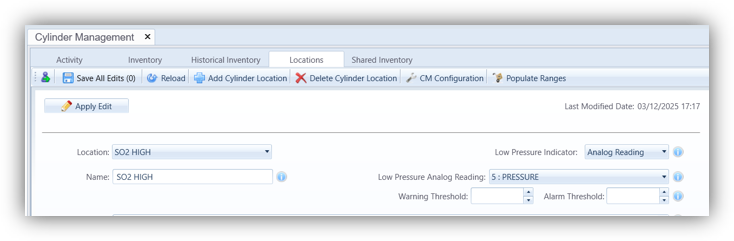
The data points available in the pick list are averages that are 1 MINUTE BLOCK averages with a Validation of NONE.

The Activity tab retrieves the most recent average from the database to display as the Pressure value for the Cylinder.

The Pressure will be visible when a cylinder is in service in the configuration Location.
14. Overview Dashboard Real Time Display Widget Display Status

Two new display options have been added to the Real Time Display Widget in the Overview Dashboard.

Show Point Average Status and Show Point Average Status (without text) are the new options.

These new options, as well as the existing display options, have been combined into a drop-down list of options to select.
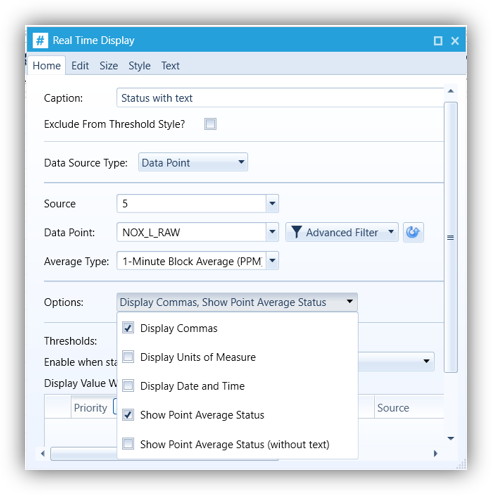
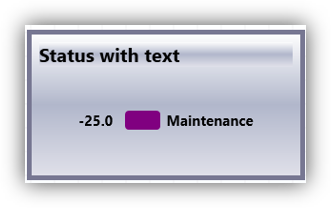
The Show Point Average Status option will display the color-coded Quality of the data point reading.  This option will also include the text of the Quality next to the color-coded indicator.
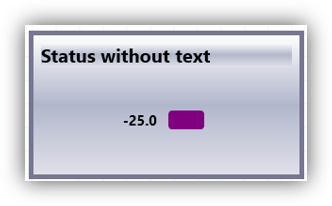
The Show Point Average Status (without text) option will display only the color-coded Quality of the data point reading.
Security and Reliability Enhancements

Recent releases also include improvements designed to strengthen system security and reliability.

15. CEMLink Services Port Blocking

This release introduces automatic port reservation (port blocking) for all CEMLink Windows services to improve service reliability and prevent startup failures caused by port conflicts.

Background

CEMLink Windows services communicate with each other using WCF over a defined set of TCP ports. These ports are used exclusively for internal communication between services running on the CEMLink DAS Server, and the traffic does not leave the server.

The ports reserved for CEMLink services include:

55101–55103
55201–55202
55301–55302
55401–55402
55501–55502
55601–55602
55701–55702
55801–55802
55901–55902

Issue in Previous Releases

In some scenarios, particularly after a server reboot, Windows could assign one of the required CEMLink ports to another application before the CEMLink services started. When this occurred, the affected CEMLink service would fail to start because its required port was already in use.

This could result in:

  • One or more CEMLink services failing to start
  • Loss of system functionality until manual intervention
  • Additional troubleshooting and service restarts

Enhancement in This Release

This release automatically reserves the required CEMLink service ports at the operating system level. This prevents other applications from using these ports and ensures they remain available for CEMLink services.

Benefits

This enhancement provides the following improvements:

  • Prevents port conflicts with other applications
  • Improves service startup reliability after server reboots
  • Reduces risk of service startup failures
  • Improves overall system stability
  • Eliminates the need for manual port conflict troubleshooting

User Impact

No user action is required. Port reservations are applied automatically during installation or upgrade.

16. Emails Sent with Authorization from OAuth 2.0

CEMLink now has the capability of using OAuth 2.0 authorization to send emails.

OAuth 2.0, which stands for Open Authorization, is an authorization framework designed to allow applications to securely access resources by other web applications on behalf of a user.

If enabled, CEMLink will use this authorization method to send emails via Online Exchange (Office 365).

To enable OAuth 2.0 authorization within CEMLink, the user must turn this feature on in the Security UI and Email Settings tab.
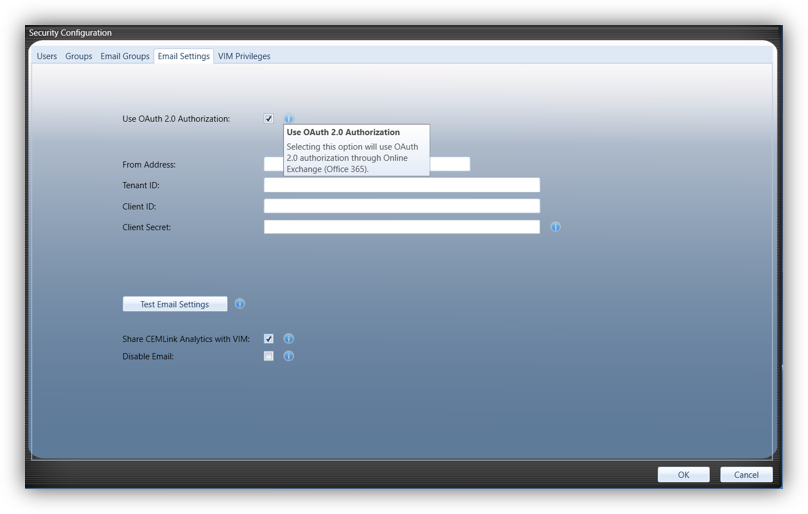
To send an email via Online Exchange using OAuth 2.0, you must first register your application (Exchange) in the Microsoft Entra admin center and grant it the necessary API permissions to use the modern authentication protocols.  Users will need their IT department to help determine the user, IDs and secret key needed for authorization.

To authorize an application to send emails on behalf of a specific email address (the “From” address) using OAuth 2.0, you must explicitly associate your authorized OAuth client with that specific user account to get the necessary permissions.

An OAuth 2.0 Tenant ID is a unique, alphanumeric identifier (e.g., abc12345-6789-0abc-def1-234567890abc) used primarily in Microsoft Entra ID environments.  It specifies the exact directory, organization, or customer environment your application is authenticating against ensuring users only access authorized resources.

An OAuth 2.0 Client ID is a public identifier issued by an authorization server to identify a specific application.

An OAuth 2.0 client secret is a private “password” known only to your application and the authorization server.  This client secret key is generated in Microsoft Entra and will expire depending on duration set during the key creation process.  When this key expires, a new key will need to be generated and input into the CEMLink settings.

Learn More

The enhancements highlighted in this article represent some of the most significant improvements delivered in recent CEMLink6 releases. Additional updates, implementation guidance, and technical details are available through the CEMLink6 Release Notes.

If you are not currently running the latest version of CEMLink6, contact the VIM Technologies Support Team at support@vimtechnologies.com or call 1-866-484-6435 to discuss available upgrade options and enhancements.

EPA Finalizes New CEDRI Reporting Requirements for Subparts GG, KKKK and KKKKa

On January 15, 2026, EPA published final amendments to Subparts GG, KKKK and KKKKa to 40 CFR Part 60 in the Federal Register.  The effective date for these revisions was January 15, 2026.

Beginning January 15, 2027, or once the report template has been available on the CEDRI website for one year (whichever date is later), the semiannual excess emissions reports must be submitted electronically via CEDRI using the Excel report template.  The Subparts GG, KKKK and KKKKa Excel semiannual report template was posted to the CEDRI website on July 1, 2026 with little fanfare.  The CEDRI Update Log was only recently updated to include the July 1, 2026 release date.  A CEDRI email announcing the release of the new Subparts GG, KKKK and KKKKa reports was submitted to CEDRI users on September 9, 2026.  A copy of the report template is available here.  Each semiannual report is due no later than 60 days after the end of each reporting period.  For the January 1 through June 30, 2027 reporting period, the required semiannual report must be submitted using the Excel report template via CEDRI. 

Additionally, beginning March 16, 2026, Subparts GG, KKKK and KKKKa affected units must also submit the results of performance evaluation tests (including RATAs) or performance tests within 60 days after completing each test.  Test results must be submitted electronically via CEDRI in an XML file format in accordance with the schema listed on EPA’s Electronic Reporting Tool (ERT) website.  For more information, reference §60.334(j) and (k); §60.4375 and §60.4375a to Subparts GG, KKKK and KKKKa, respectively.  For more information, please reach out to our COMPAS team at compas@vimtechnologies.com.

2026 EPRI CEMUG Conference Recap: ECMPS 2.0 Regulatory Insights and CEM Best Practices

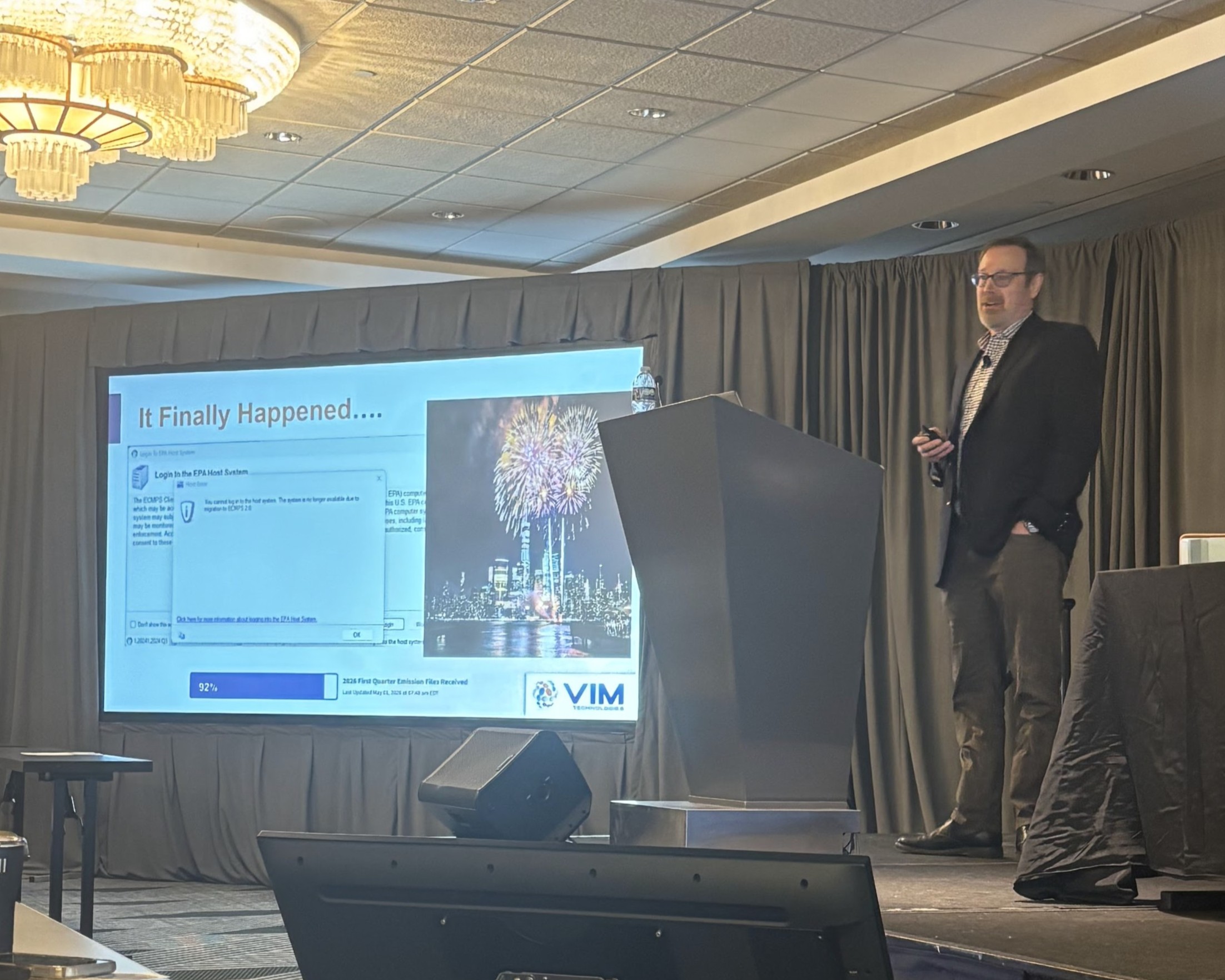
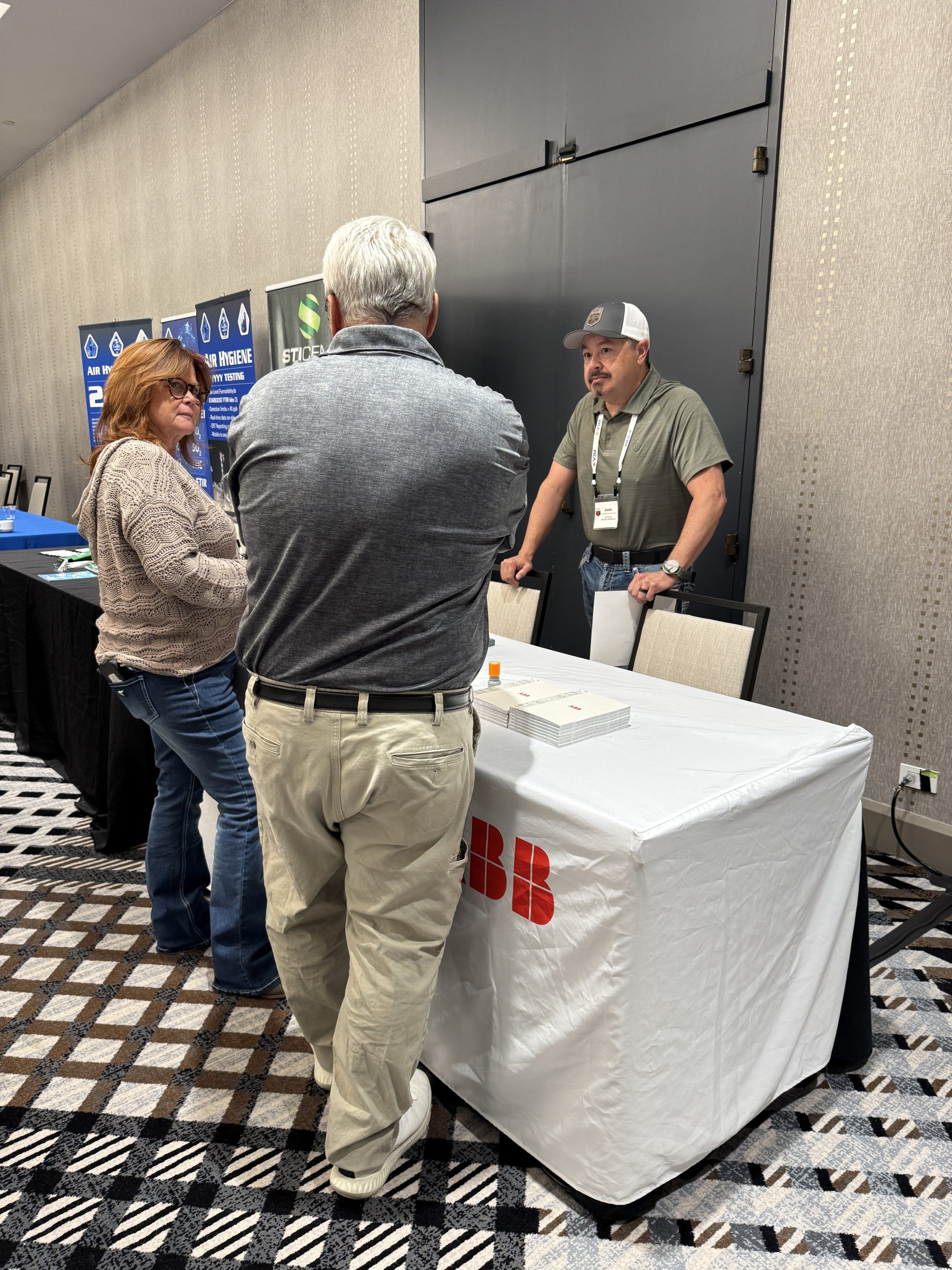
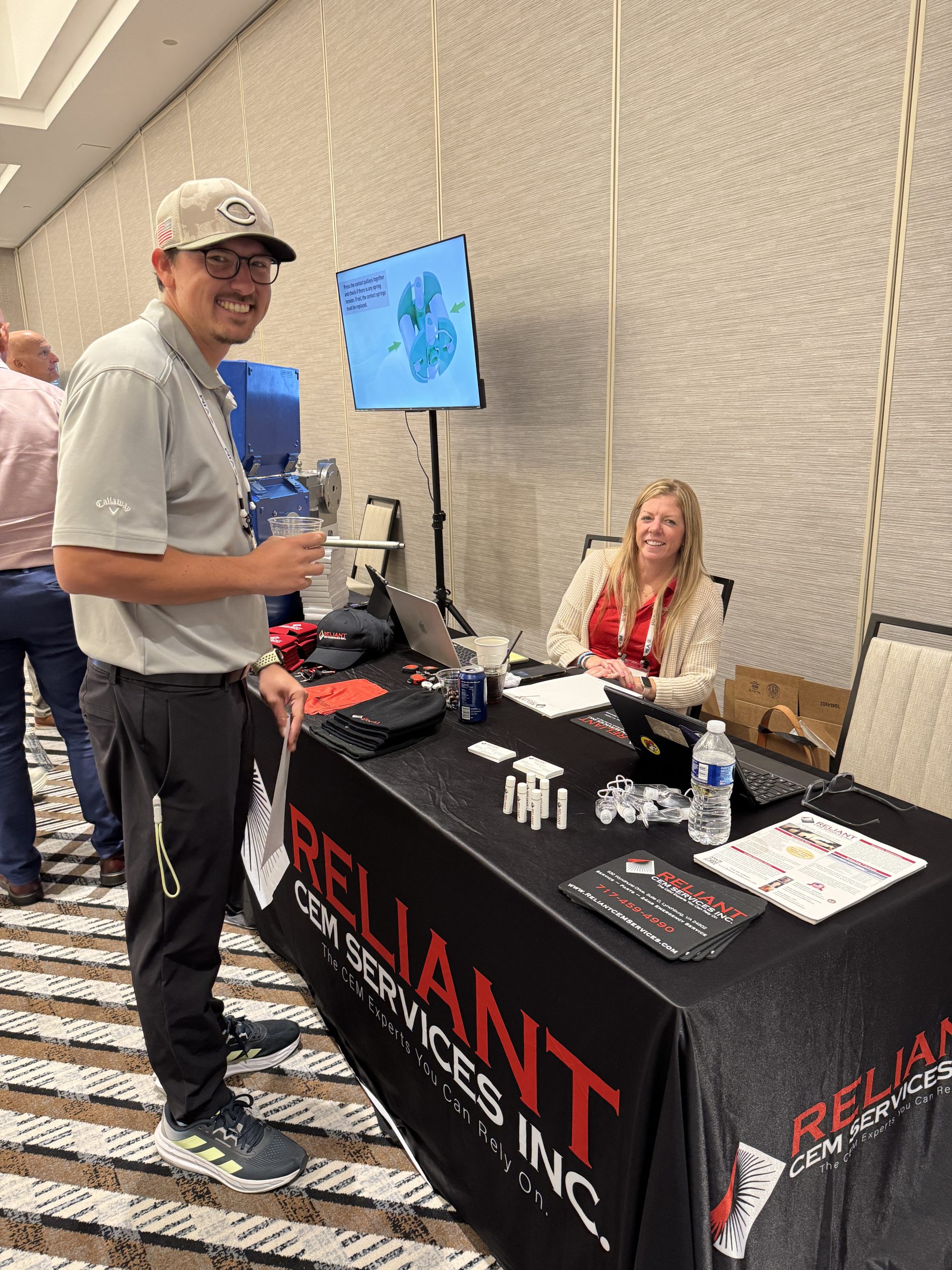
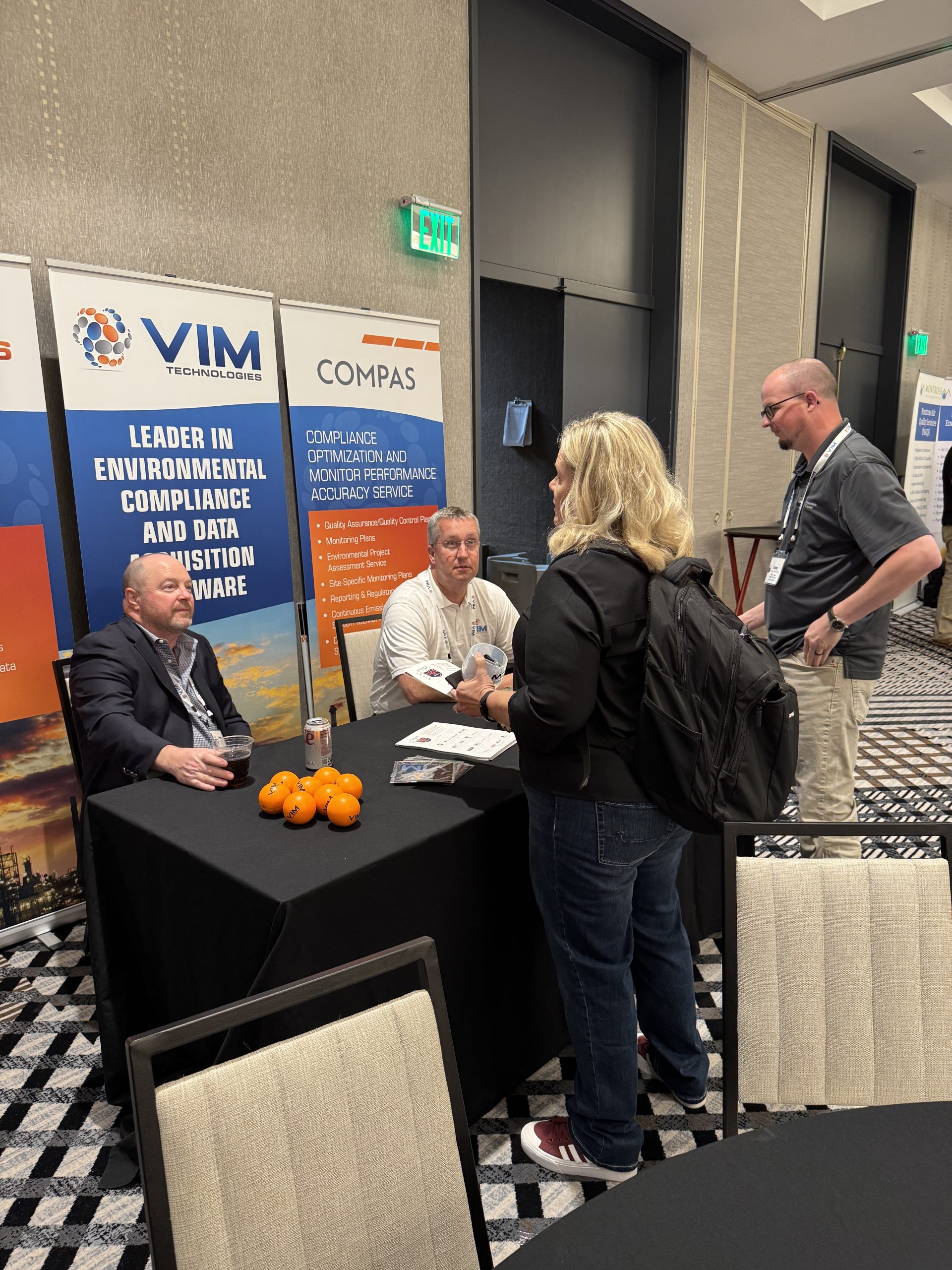
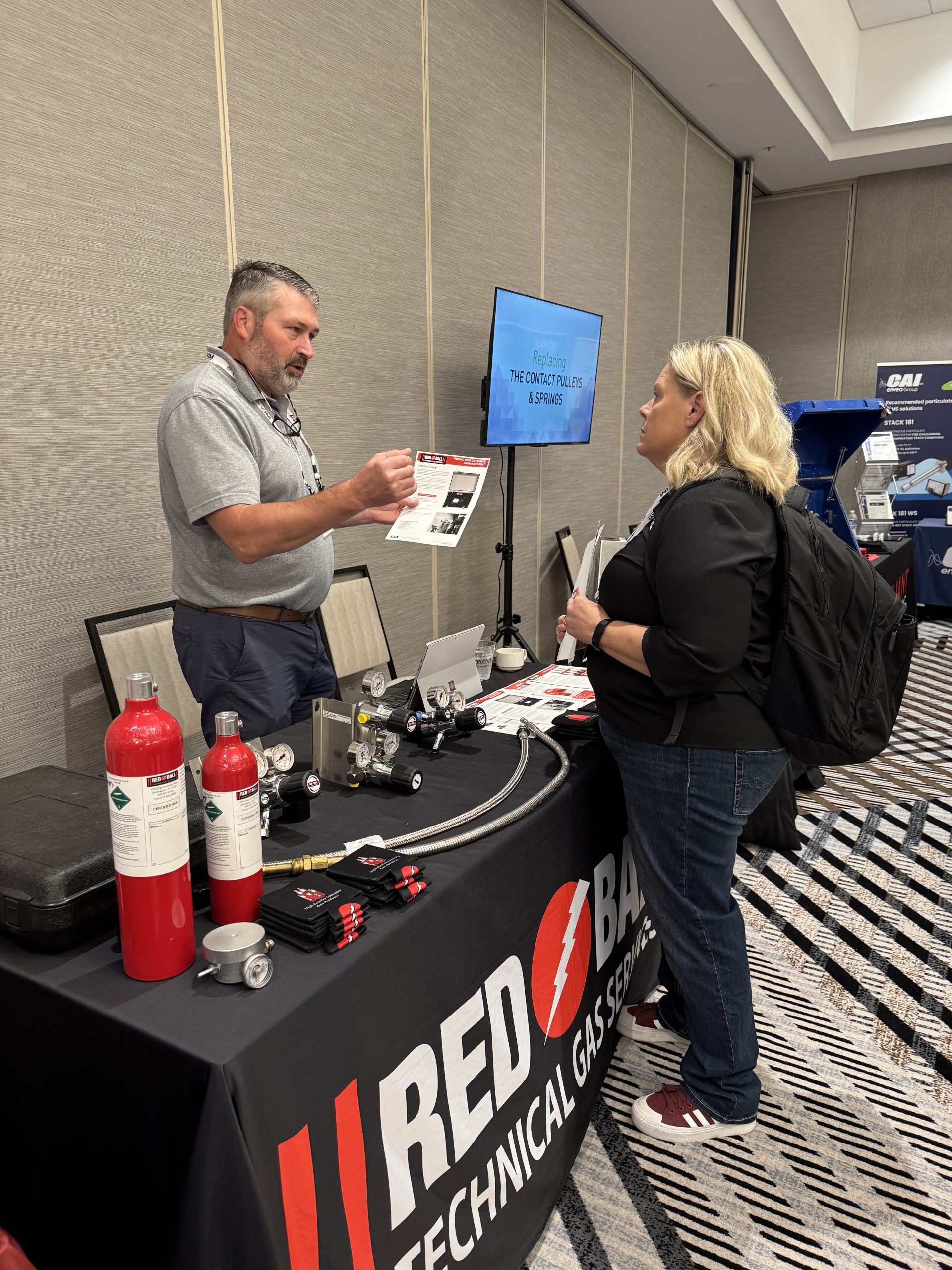
VIM Technologies was proud to attend and exhibit at the 34th EPRI Continuous Emissions Monitoring User Group (CEMUG) Conference, held May 5–6, 2026, in Broomfield, Colorado. Coming on the heels of the official ECMPS 2.0 launch, the conference carried an exciting and highly engaged atmosphere as industry professionals gathered to discuss regulatory impacts, system changes, and best practices shaping the future of emissions monitoring. This year, VIM contributed to the technical program through two featured presentations, co‑hosted the EPRI Welcome Reception with industry partners, and connected with attendees throughout the event at the VIM booth in the exhibit hall.

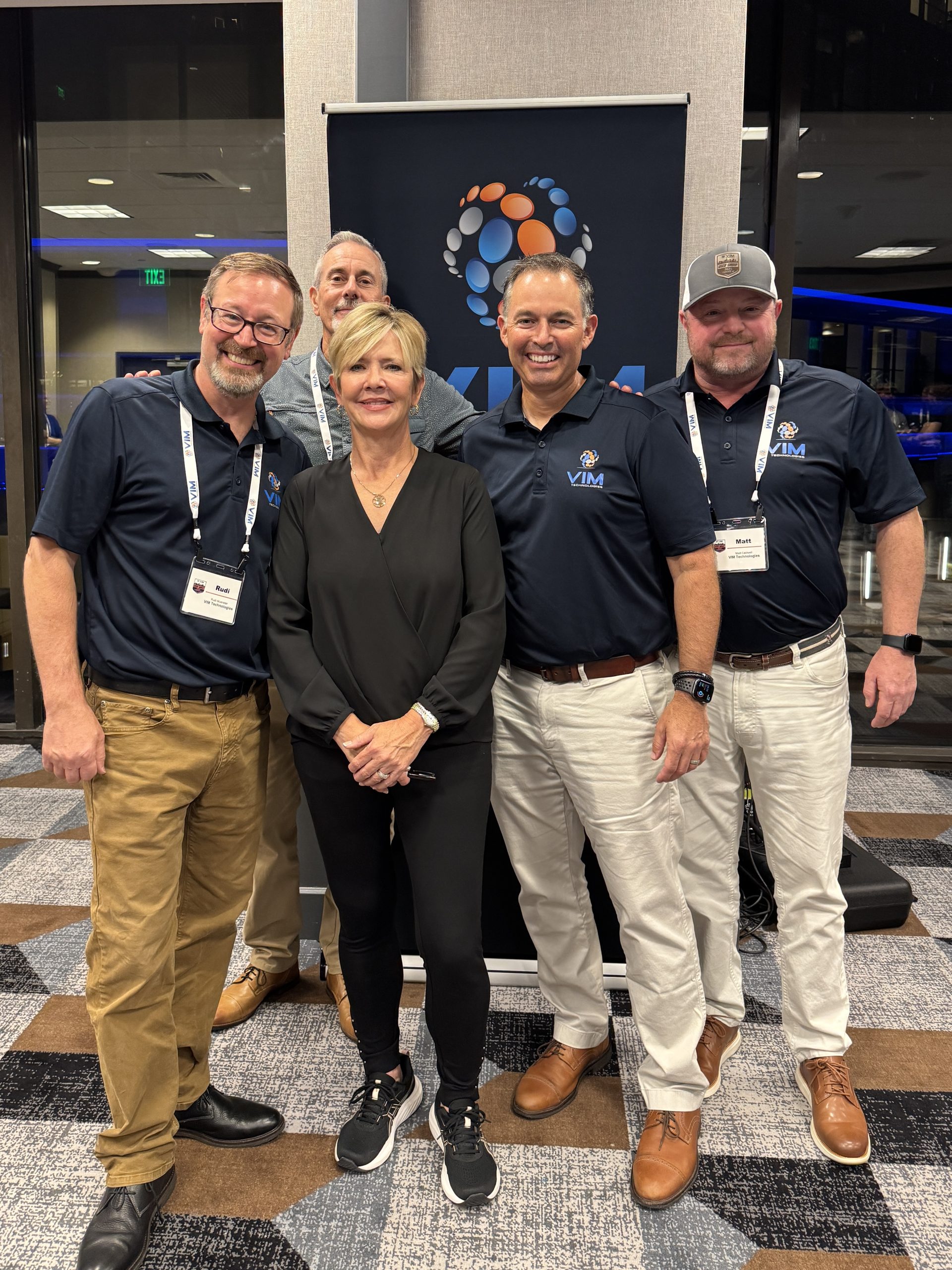
Representing VIM at the conference were Matt Caldwell, President; Andy Rothenberger, VP of Strategic Growth; Rudi Muenster, VP of Environmental Products; Dru Sanders, Senior Air Compliance Specialist; Jack Shubin, Sales; and Emma Fields, Environmental Specialist.

ECMPS 2.0 Regulatory Impacts: Industry Perspectives from EPRI CEMUG 2026

DAHS Provider Lessons Learned from the ECMPS 2.0 Re Engineering Project

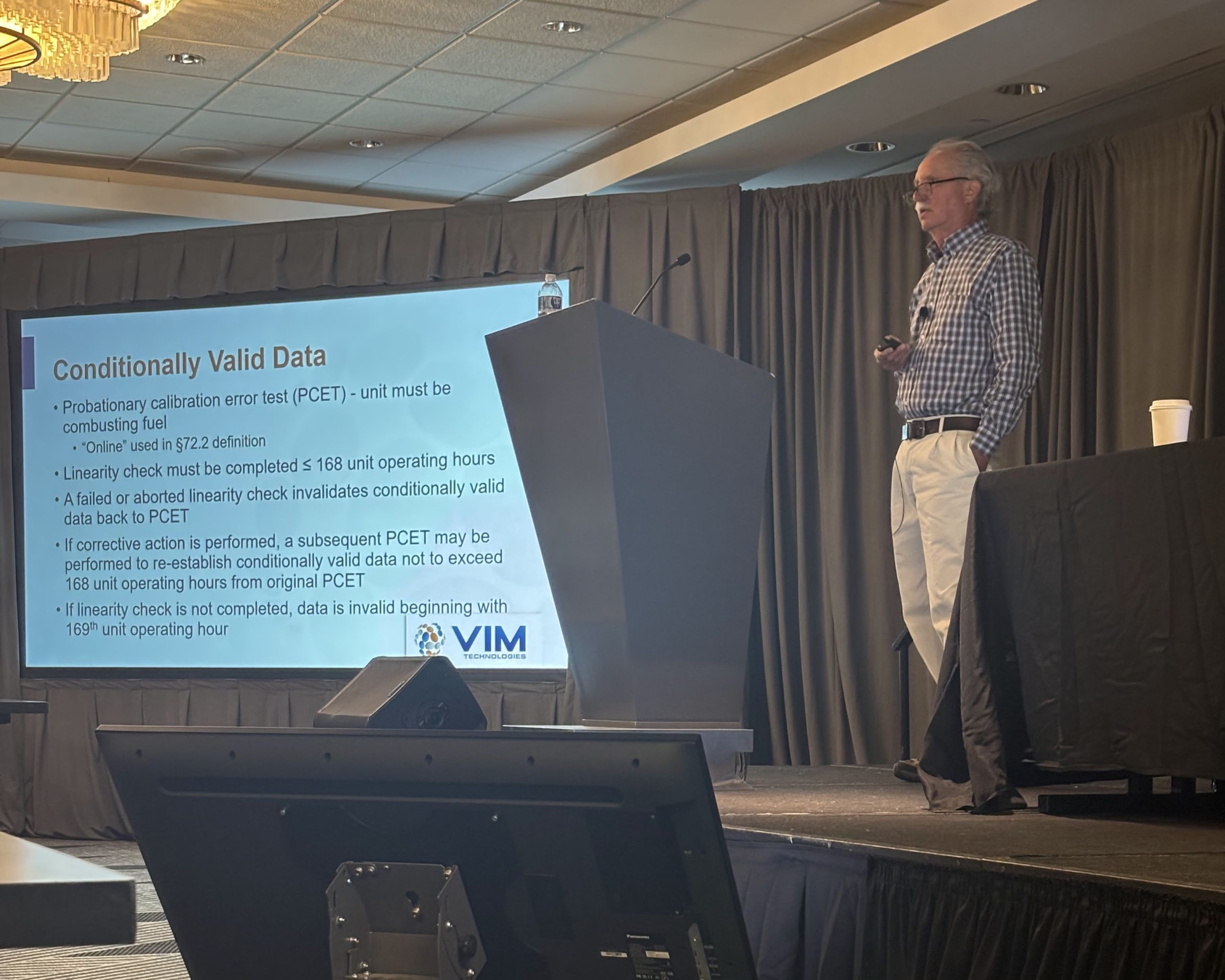
On Tuesday, May 5, 2026 (CEMUG Day 1), Rudi Muenster, VP of Environmental Products at VIM Technologies, presented during Session 4: Industry Perspectives on Regulatory Impacts. His presentation, “DAHS Provider Perspectives and Lessons Learned from the ECMPS 2.0 Re‑Engineering Project,” delivered a DAHS provider’s perspective on the ECMPS 2.0 re‑engineering effort, drawing on VIM’s direct experience supporting customers through system changes, testing phases, and real‑world implementation challenges.

In addition to sharing lessons learned and areas where facilities should expect added complexity, the session incorporated live audience polling, allowing attendees to vote on ECMPS 2.0 product enhancements and priorities. The engagement proved highly valuable—so much so that the EPA later requested the poll results, underscoring the importance of industry feedback. The session resonated strongly with attendees actively navigating ECMPS 2.0 impacts and reinforced the importance of collaboration among facilities, regulators, and technology providers.

CEM Program Good Practices for Maintaining Compliance

Likekind Analyzer Replacement Requirements Under 40 CFR Part 75 and Part 60

On Wednesday, May 6, 2026 (CEMUG Day 2), Dru Sanders, Senior Air Compliance Specialist at VIM Technologies, presented during Session 7: CEM Program Good Practices. His presentation, “Like‑Kind Analyzer Provisions,” focused on the regulatory requirements governing the use of like‑kind analyzers and temporary opacity monitors, as allowed under 40 CFR Part 75 and Part 60, Procedure 3, respectively.

The session addressed how these provisions are common pitfalls facilities encounter, and best practices for maintaining compliance while minimizing CEMS downtime. Dru’s presentation provided practical guidance that attendees can confidently apply within their own CEM programs.

EPRI Welcome Reception: Strengthening Industry Connections

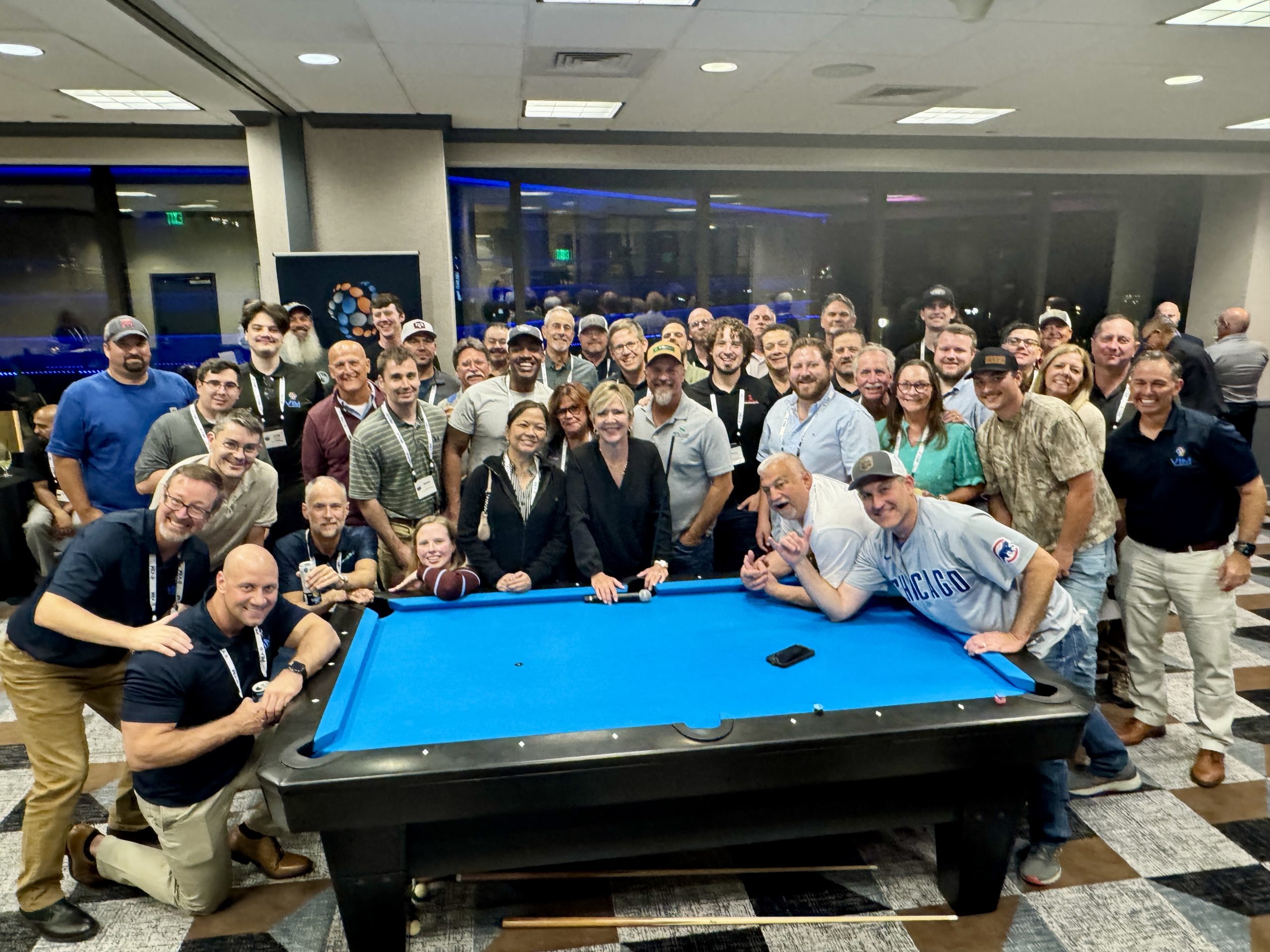
In addition to the technical program, VIM was proud to co‑host a Welcome Reception on Monday evening prior to the conference, providing attendees with an opportunity to connect in a relaxed and informal setting before technical sessions began. The collaborative event was hosted by VIM Technologies, Inc., STI CEMS, Air Hygiene, and RTP Environmental Associates, Inc., bringing together a broad cross‑section of the emissions monitoring community.

Attended by over 100 guests, the reception proved to be a fun and engaging evening filled with conversation, networking, and the exchange of perspectives on the challenges and opportunities facing the industry. The event set the tone for the week ahead and highlighted the collaborative spirit that continues to make the EPRI CEMUG conference such a valuable forum for industry professionals.

Supporting ECMPS 2.0 Readiness: Conversations at the VIM Booth

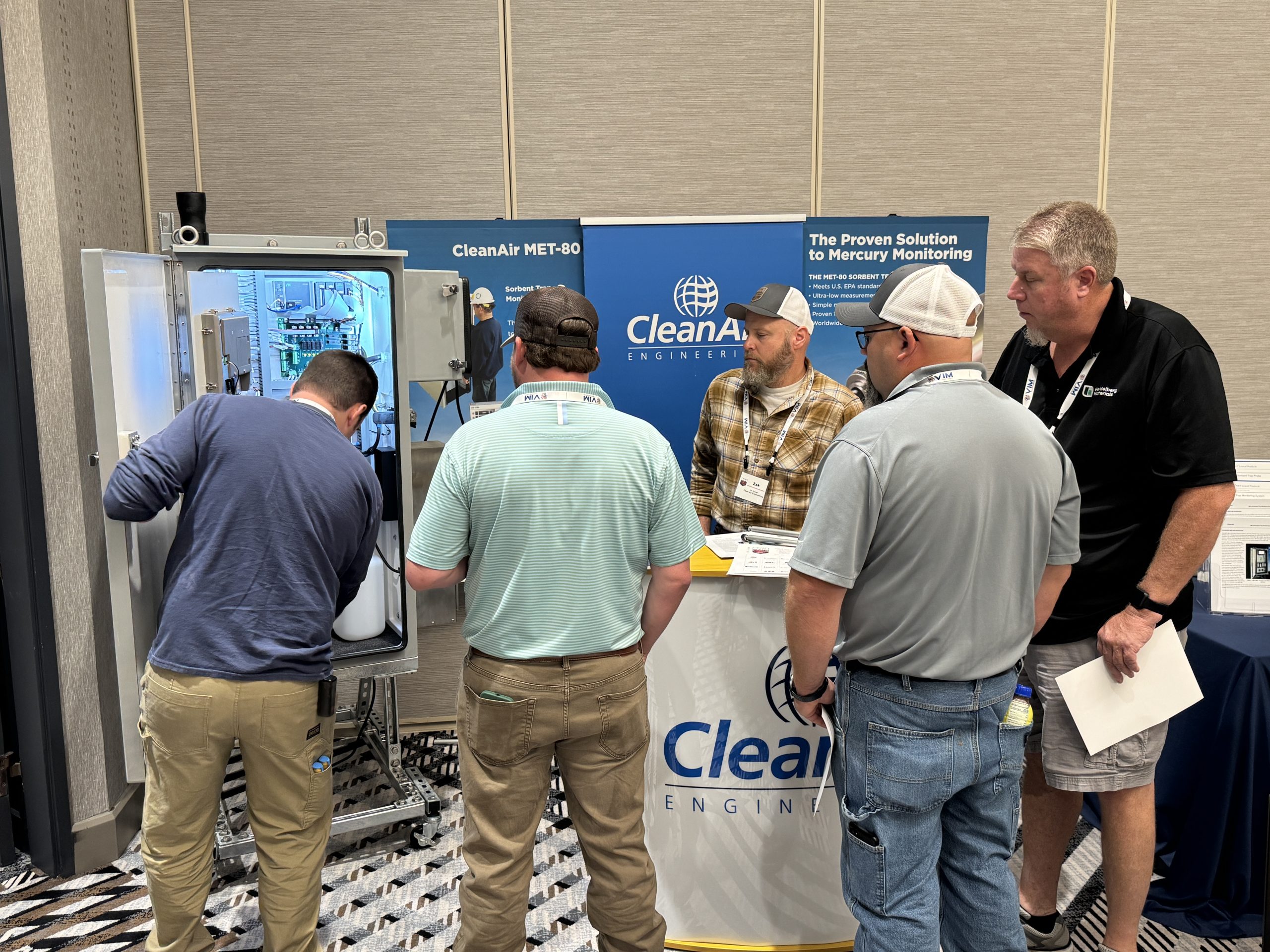
Throughout the conference, attendees stopped by the VIM booth to engage in one‑on‑one discussions with the VIM team. Conversations focused on navigating regulatory change, preparing for ECMPS 2.0 reporting realities, maintaining data quality and audit readiness, and applying proven tools and expertise to support day‑to‑day compliance needs.

These discussions reinforced VIM’s commitment to being a trusted, long‑term partner—supporting facilities not just through regulatory transitions, but through the ongoing evolution of their compliance programs.

Thank You to the EPRI CEMUG Community

VIM Technologies extends a sincere thank you to EPRI, the conference organizers, co‑hosting partners, and everyone who attended the sessions, joined the Welcome Reception, and connected with us throughout the event. The 2026 EPRI CEMUG Conference was both informative and enjoyable, and VIM looks forward to continuing its involvement with this important industry forum.

If you have any questions or would like a copy of VIM’s presentations, please contact
Rudi Muenster at rudi.muenster@vimtechnologies.com or
Dru Sanders at dru.sanders@vimtechnologies.com.

VIM looks forward to participating in the 35th EPRI CEMUG Conference in 2027.

ECMPS 2.0 Transition: What the First Month Taught Us and What Comes Next

On April 2nd, the EPA launched the production application of ECMPS 2.0, ushering in a revised submission system for electronic data reporting. The weeks that followed have been a learning process for all new users, including us at VIM. As a team, we came together to debrief the rollout and divulge the tips, tricks, & must-knows for using this new tool. In this post, we’ll recap this first month navigating a new system while educating as many people as possible about the intricacies of this transition.

Preparing for the ECMPS 2.0 Transition

As soon as the EPA notification came through, our COMPAS and Development teams collaborated to ensure that our CEMLink® 6 systems were able to produce Electronic Data Reports (EDRs) compatible with ECMPS 2.0. That effort was achieved through EDR schema updates across our customer sites – an essential success during what was otherwise a chaotic first week. With these updates in place, our COMPAS team was able to move swiftly to both work directly with customers to transition their data and confirm file compatibility in the new system.

Once we were confident new data could be imported successfully, our focus shifted to helping customers backfill historical data into ECMPS 2.0. Thanks to months of preparation, we were able to navigate the CDX -> CBS -> ECMPS 2.0 permissions flow to ensure both VIM and our customers could connect to the system and initiate data transfers.

This was, in no small part, thanks to the tireless efforts of Rudi Muenster and Dru Sanders’, whose multiple live training classes provided breakdowns on the agent status/role system, data flow processes, live demonstrations, and walkthrough sessions with our clients and the COMPAS team.

These training courses proved to be a critical bridge between the work we conducted in the ECMPS 2.0 beta environment, numerous conversations with the EPA, and the uncertainties many users felt while waiting for the production system to go live. Through these training courses, and subsequent conversations, we were able to help customers identify their Direct Representatives (DR) and Alternative Direct Representatives (ADR).

This effort became essential once ECMPS 2.0 launched, as we were able to quickly coordinate with those DRs & ADRs to complete the initial sign-in process. Consequently, this provided all associated agents with access to their facilities. From here, the next tasks were understanding the new interface and preparation for quarterly submissions.

What’s Changed in the ECMPS 2.0 Interface

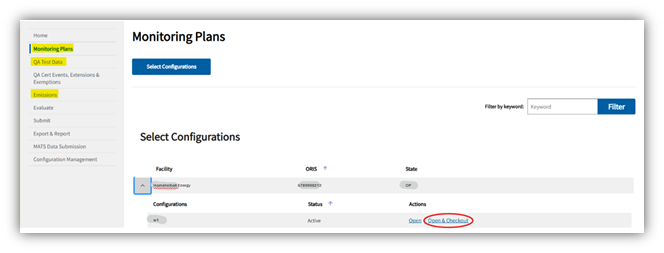
Once we gained access to the new system, we moved to make ourselves familiar with all the different options, interfaces, and processes. In the new system, all required documents have their own tabs where you can review data reports, import new data, & edit or add information, as needed. However, certain changes have been made to the workflow, as compared to ECMPS 1.0 – most notably the introduction of a check-out, check-in system that limits agent access to one unit at a time.

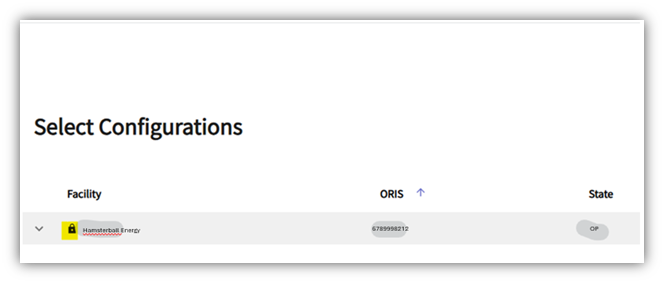
This new system allows agents to hop between a single unit’s QA, Emissions, & Monitoring Plan, permitting a user to take all necessary actions without having to track the unit down each time. That said, it’s important to understand users can only check-out one unit at one facility at a time. Once a unit is checked out, no other user may edit or evaluate it until it is checked back in. Unit status is easy to monitor, as checked‑out units display a lock icon next to the facility name.

Another important change, there is no longer an offline version of the submission system. Thus, all edits and imports are made on the record and are visible in the public view. There is a ‘Revert to Official Record’ button in case a user imports or edits documents in error. However, this will reset all progress back to the most recently submitted versions of the facility’s documentation. That said, there are built-in safeguards meant to prevent edits in error.

ECMPS 2.0 Submissions, Evaluations, and Data Safeguards

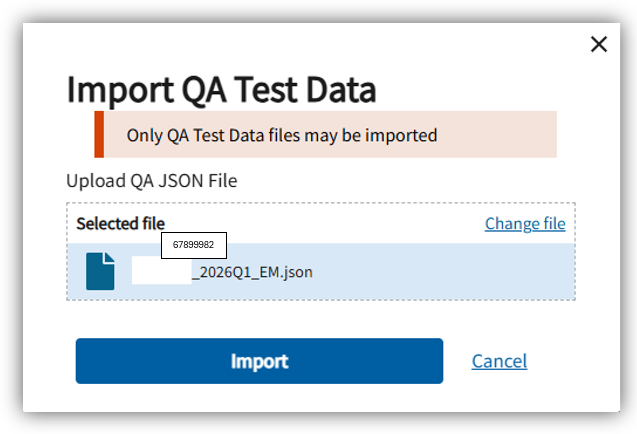
When it comes to importing EDRs for quarterly submissions, ECMPS 2.0 has been configured to only accept the .JSON file type. Additionally, the system has been created to distinguish between QA & EM EDRs and uses key identifiers to ensure files are imported to the correct unit. This means, if a user tries to upload an EM EDR into the QA interface – or upload an EDR for a different unit than the one checked out – the system immediately generates an error and halts the upload. This design ensures evaluation messages are only associated with the unit being reviewed.

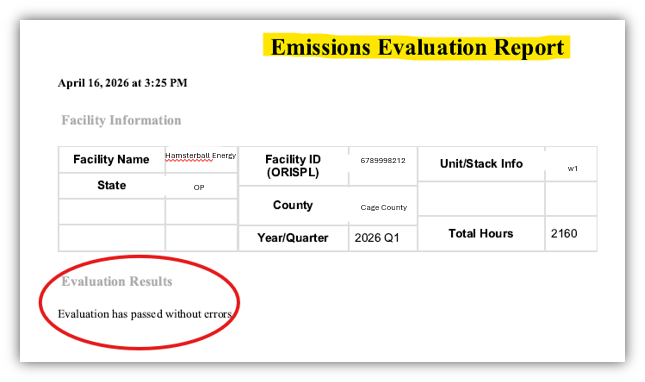
The evaluation & submission systems remain separate interfaces with interconnected functionality, as an evaluation is required prior to any submission. As part of the checks and balances built into this new system, evaluation and submission result statuses are emailed directly to the user who initiated the process – with submission statuses emailed to all agents associated with a facility. This encourages persistent communication and creates a flowing record, so all who need to know get to know. This function is especially important for coordinating actions and providing essential context for support cases.

ECMPS 2.0 Resources, Support, and Next Steps

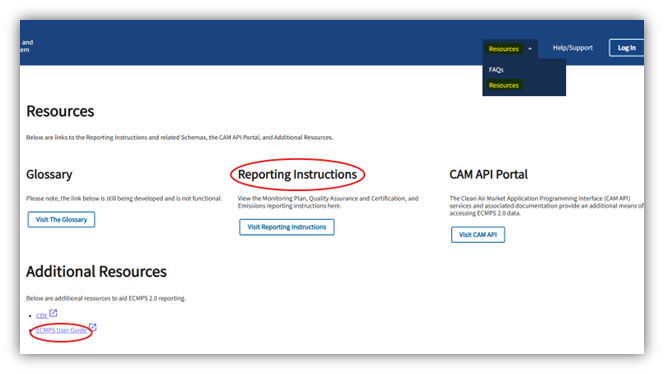
To support the transition, the EPA has made several helpful tools available within ECMPS 2.0, including the Reporting Instructions and the ECMPS User Guide. Users may also reach out to the ECMPS and CBS help desks for assistance with connectivity or interface issues. That said, given how new the system is, these help desks have quickly become inundated with requests. For this reason, we encourage our customers to contact VIM first when issues arise.

In particular, customers are advised to reach out to our COMPAS team, compas@vimtechnologies.com, as they are best prepared to review and advise on ECMPS 2.0‑related questions. For technical assistance to ensure system compatibility, our Support team can be reached at Support@vimtechnologies.com. If you are interested in working with the most prepared and knowledgeable group in data acquisition and reporting, you can contact our sales team for more information – sales@vimtechnologies.com.

All in all, this first month has been a whirlwind of information gathering, interface exploration, and extensive communication to ensure all of us at VIM and our clients could adapt successfully. In the end, the experience we’ve gained will lead to greater understanding and resilience as ECMPS 2.0 is altered and improved in the years to come.

With the first reporting month in the rear view, we hope this post provides valuable insights, practical guidance, and an opportunity to take a deep breath and reflect. We sincerely appreciate our customers’ patience and engagement throughout this transition and will continue to share updates as we learn more.

VIM Technologies Completes Nine ECMPS 2.0 Training Courses

VIM Technologies, Inc. (VIM) is pleased to announce that we recently completed nine (9) online ECMPS 2.0 training courses. 

Four (4) courses were utility-specific and the other (5) courses were open to the public.  Each public ECMPS 2.0 course included two (2) separate training sessions.  The first training session focused on the steps necessary to establish Central Data Exchange (CDX) accounts and corresponding CAMD Business System (CBS)  accounts for the new emissions and allowance system for energy (EASEY) program.  The second training session focused on the new ECMPS 2.0 web-based reporting platform and included an extensive demonstration of the ECMPS 2.0 functionality.  The training sessions often hit capacity within two days of announcing a new date.

Given staff reductions and the challenges of formally launching ECMPS 2.0, EPA did not offer any ECMPS 2.0 training sessions and provided limited written guidance for the new EASEY program.  VIM recognized the void and stepped up to support our utility industry partners.   The training sessions were co-hosted by Rudi Muenster, Vice President – Environmental Products, and Dru Sanders, Senior Air Compliance Specialist. The training sessions were limited to forty attendees to ensure an open dialogue among attendees.  Problems were discussed, screens were shared and many issues were resolved. 

The ECMPS 2.0 courses were attended by approximately 275 utility personnel from a wide variety of electric utilities.  A large percentage of the attendees were not current CEMLink 6 customers.   A shout-out goes to Rudi, who spent numerous hours responding to utility emails from folks struggling with the challenges of successfully navigating CDX and CBS to finally populate agent’s facilities in ECMPS 2.0.  Based on feedback, his efforts and support were appreciated.

VIM valued this opportunity to demonstrate our expertise and partnership with the utility industry.  VIM will continue to collaborate with EPA to resolve issues and advocate for enhancements as the ECMPS 2.0 platform matures.  VIM would welcome the opportunity to introduce our CEMLink 6 DAHS and associated compliance services to you and your company.  VIM stands ready to serve as your compliance partner.  

For more information, please contact VIM’s COMPAS Team at COMPAS@vimtechnologies.com.

EPA Final Rule Repeals Key MATS Amendments: What Utilities Need to Know

On February 19, 2026, the US EPA Administrator signed a final rule entitled, National Emission Standards for Hazardous Air Pollutants: Coal- and Oil-Fired Electric Utility Steam Generating Units: Final Repeal.  The rule was published in the Federal Register on February 24, 2026 and becomes effective April 27, 2026.  A copy of the final rule is available here.  The rule repeals certain amendments to the Mercury and Air Toxics Standards (MATS) Rule published on May 7, 2024.  More specifically, the final rule repeals the three (3) MATS amendments listed below.

  • The filterable particulate matter (fPM) emission standard for existing coal-fired electric utility steam generating units (EGUs), which the EPA revised from 0.030 pounds per million British thermal units (lb/MMBtu) to 0.010 lb/MMBtu;

  • The compliance demonstration requirement for the fPM emission standard for all coal- and oil-fired EGUs, which the EPA revised from allowing EGU owners and operators to choose between use of quarterly stack testing, use of continuous parametric monitoring systems (CPMS), or use of PM continuous emission monitoring systems (CEMS) to only allowing use of PM CEMS; and

  • The mercury (Hg) emission standard for existing lignite-fired EGUs, which the EPA revised from 4.0 pounds per trillion British thermal units (lb/TBtu) to 1.2 lb/TBtu.

The rule also clarified the quarterly compliance report submittal requirements in Section 1 by removing “in an XML format” and replacing it with “in a format specified by the Administrator.”  This may seem to be a minor revision.  However, EPA had never developed XML schema for the quarterly compliance report and many utilities were expending a certain level of effort to generate reports in XML format as a conservative measure to meet the “letter of the law.”

Throughout the rule references to the “ECMPS Client Tool” have been replaced with “ECMPS reporting tool” to reflect the current migration from ECMPS 1.0 to ECMPS 2.0.  The migration to ECMPS 2.0 formally began on February 13, 2026.

For more information, please contact VIM’s COMPAS Team at COMPAS@vimtechnologies.com.

ECMPS 2.0 Migration Begins February 13: 5 Things You Must Do Before Reporting Starts in Q1 2026

On January 29th, 2026, EPA’s Clean Air and Power Division (CAPD) provided a status update on the ECMPS 2.0 re-engineering effort. The blog post can be found here. Also on February 3, 2026, EPA posted an update on how to prepare for the ECMPS 2.0 production release. That post can be found here.

The countdown to JSON reporting using the new ECMPS 2.0 web-based Client Tool has officially begun!! Q1 2026 is the official start date for ECMPS 2.0 reporting, with reports due no later than April 30, 2026.

A few things we’d like to highlight as you prepare for the upcoming reporting obligation:

  1. Evaluate the impacts of the migration
  2. Update data acquisition and handling system (DAHS) to a “JSON capable” release
  3. Confirm Initial Authorizer (IA) has received and executed the Emissions and Allowance System for Energy  (EASEY) program in the Central Data Exchange (CDX)
  4. Assign necessary agents
  5. Identify a Low Mass Emission (LME) unit reporting solution

1. Impact from the ECMPS 1.0 -> 2.0 migration

EPA expects the migration to take place on February 13th, at 5:00 PM ET and last approximately 3 weeks. During this time, no reporting software will be available.

A few things to keep in mind:

  • For those affected, the 2025-Q4 MATS quarterly compliance report deadline is March 2, 2026. EPA doesn’t expect the ECMPS 2.0 platform to be on-line until March 9that the earliest, facilities MUST get these reports submitted before February 13th!  Please keep that in mind when preparing these reports.
  • Users will no longer be able to synchronize with the EPA host from the ECMPS 1.0 Client Tool after February 13th. If there is anything you need to load or populate from EPA database, you should plan to do it prior to the migration. While the Client Tool will be functional on your PC, it will no longer be able to connect to any EPA system.
  • The Field Audit Checklist Tool (FACT) database will also no longer be supported or populated with new data. Like the ECMPS 1.0 Client Tool, we expect it to remain functional in limited capacity, but it will no longer receive data from ECMPS 1.0. Any future queries should be made through the Clean Air Markets Program Data (CAMPD) website at https://campd.epa.gov/.
  • Any resubmissions (MP, QA, or EM) not completed prior to the migration will need to be completed in the web-based ECMPS 2.0 Client Tool using JSON formatted files. Please make sure you have the capability to produce files in this format for any resubmissions going forward.

2. DAHS Readiness

One of the most important considerations, if not the most important, is to confirm that your DAHS can generate a JSON formatted file. Please consult with your DAHS vendor to ensure you are running a release capable of producing these reports.

For VIM Technologies CEMLink6 users, that means running a CEMLink6 v6.2.620.x or greater.  If you have identified that you are running a version lower than this, please reach out immediately to our support group at support@vimtechnologies.com for assistance. We do not expect EPA to modify JSON schemas before the Q1 2026 reporting period, but we will continue to monitor things once the migration is complete and the ECMPS 2.0 interface is back on-line.

3. CDX, ORG ID, and EASEY

We’ve scheduled and performed ECMPS 2.0 readiness training for over 200 different companies, over a 3-week timeframe, as part of our ECMPS 2.0 outreach. We hope you were able to attend one of those sessions and truly hope that it was able to give you direction on how to get your IA set up in CDX with the EASEY Program, an ORG ID assigned and be ready for the sponsorship process once EPA gives us the green light. Part 2 of the training series will take place once the migration is complete and will be dedicated to the ECMPS 2.0 user interface.

EPA created a CDX registration guide that will walk the IA through setting up their account in CDX. To get a copy of the guide click here. There is a wealth of information in this guide, and we recommend anyone impacted by ECMPS 2.0 to read it completely.

We are currently in what EPA calls “Phase 1” which is the bulk pre-registration of IAs. If your Designated Representative (DR) has not received the registration emails referenced in the guide, please contact cbs-support@camdsupport.com with the subject line “CDX Initial Registration.”  Do not email the CDX Help Desk for initial registration or sponsorship questions. The ONLY way to access EMPCS 2.0 once we go production, is for the DR, or their delegates, to begin the process using the unique link provided in the E-mail.

While some of us have prematurely started on Phase 2, EPA has since requested everyone to hold off until all IAs have been set up properly in the EASEY program with the correct ORG ID. This will prevent any re-work later if ORG IDs need to be cleaned up.

4. Assign Agents

Unfortunately, one area where EPA is not budging on, is regarding Contractor Access. This is a topic we have been very vocal about to both EPA and industry for the last 4 years. This is a feature that’s available in CAMD Business System (CBS) and the current stand-alone ECMPS 1.0 Client Tool and one that the vendors (DAHS vendors, Consultants and Stack testers) rely on to access key information. Without an equivalent feature in ECMPS 2.0, industry will be forced to add a significant number of CDX preparer roles and CBS retrieve agents in the new platforms.

VIM will be sending out under separate E-mail a list of VIM employees who are active users in CDX/CBS that we would request to be added as preparer / retrieve agents. This is required to support your systems going forward. Without this access, we will not be able to troubleshoot or assist in any JSON reporting issues you encounter in the new ECMPS 2.0 web-based tool.  If you have a VIM COMPAS contract and rely on VIM to submit your quarterly electronic data reports (EDR), then you will need to assign a Submitter role for your COMPAS contact in CDX and CBS.

5. LME Solution

For LME method sources, ECMPS 2.0 will no longer be capable of producing your JSON formatted quarterly emissions file. This feature is being discontinued by EPA and industry users who currently rely on the ECMPS 1.0 Client Tool to produce these files will need to find an alternative.

In 2023, VIM developed an LME EDR tool for ECMPS 2.0 for the industry to use. It is an advanced web-based utility tool that provides an efficient and cost-effective solution for creating Part 75 LME XML & JSON formatted EDR to import into both ECMPS 1.0 and ECMPS 2.0. If you’d like more information on the tool or would like to take it for a test run, please visit https://lmeedr.com/login or contact our sales group at sales@vimtechnologies.com to set up a live demonstration.

VIM Technologies will continue to stay abreast of the ECMPS 2.0 developments and update this blog as relevant information becomes available.

Please contact our COMPAS group at compas@vimtechnologies.com for more information concerning the ECMPS 2.0 implementation or any other questions you may have regarding the migration.

Recap of the 2025 VIM User Group and Training Event

2025 VIM User Group Recap: Insights, Innovation, and Unforgettable Moments in Charlotte

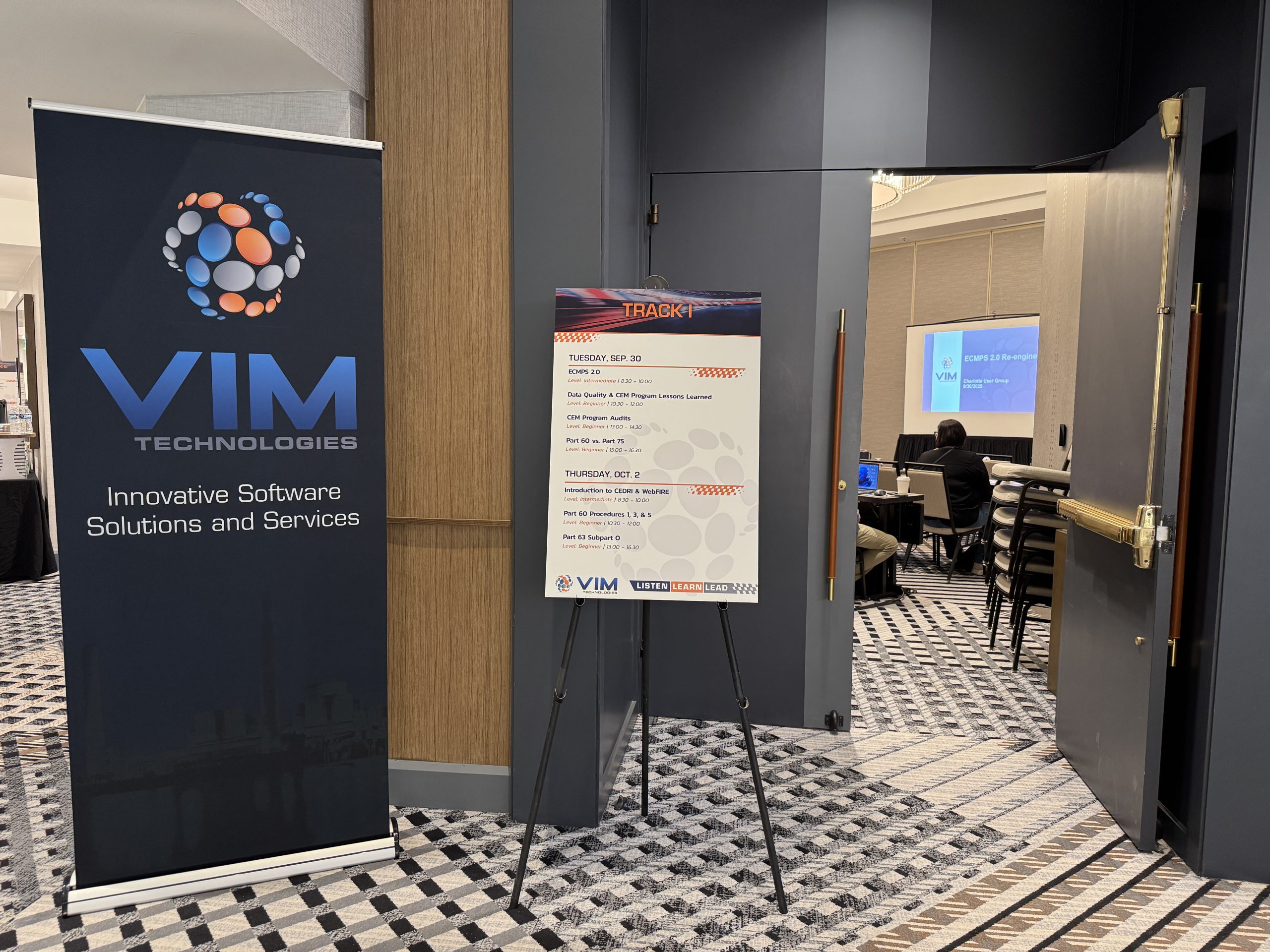
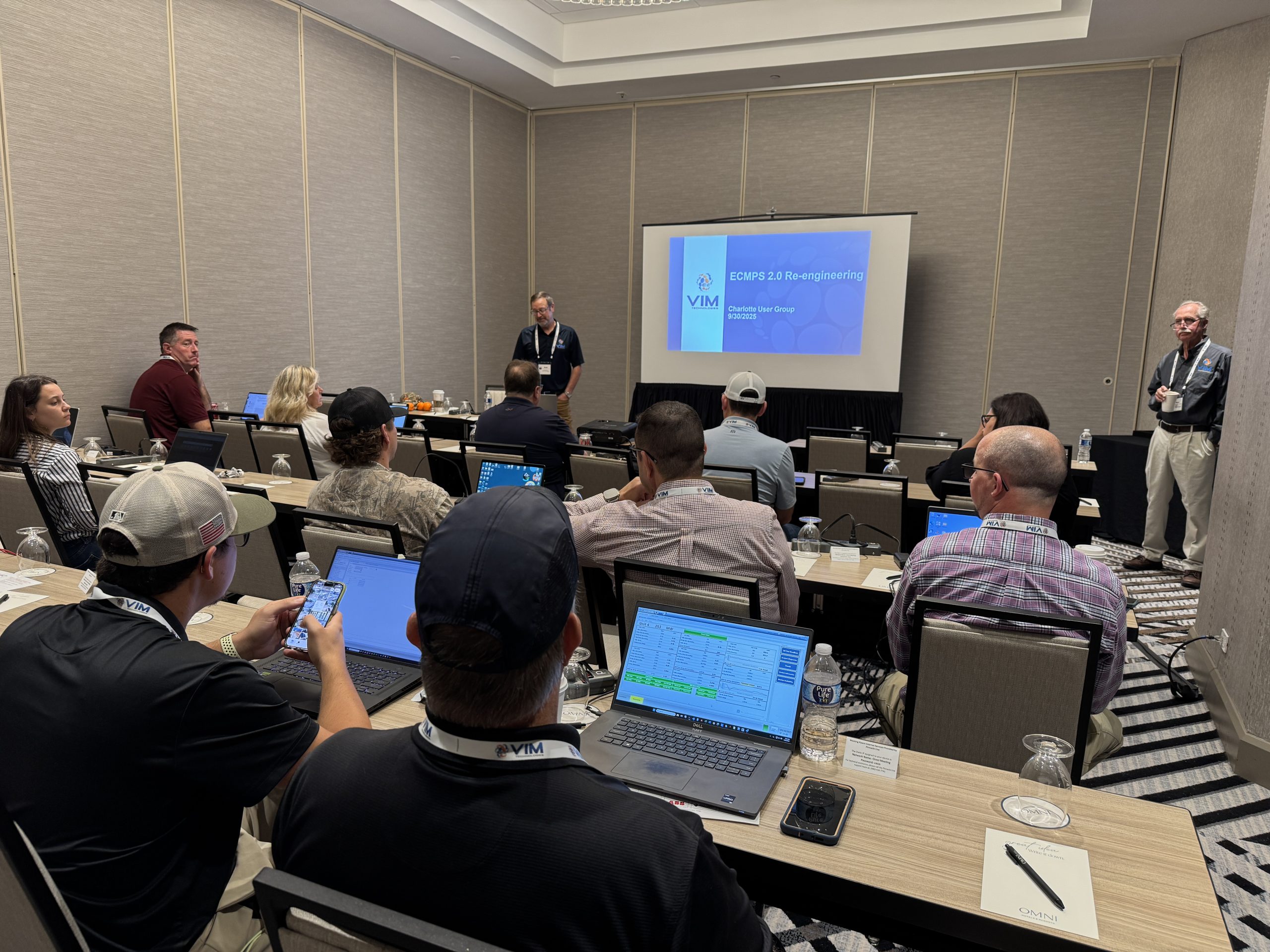
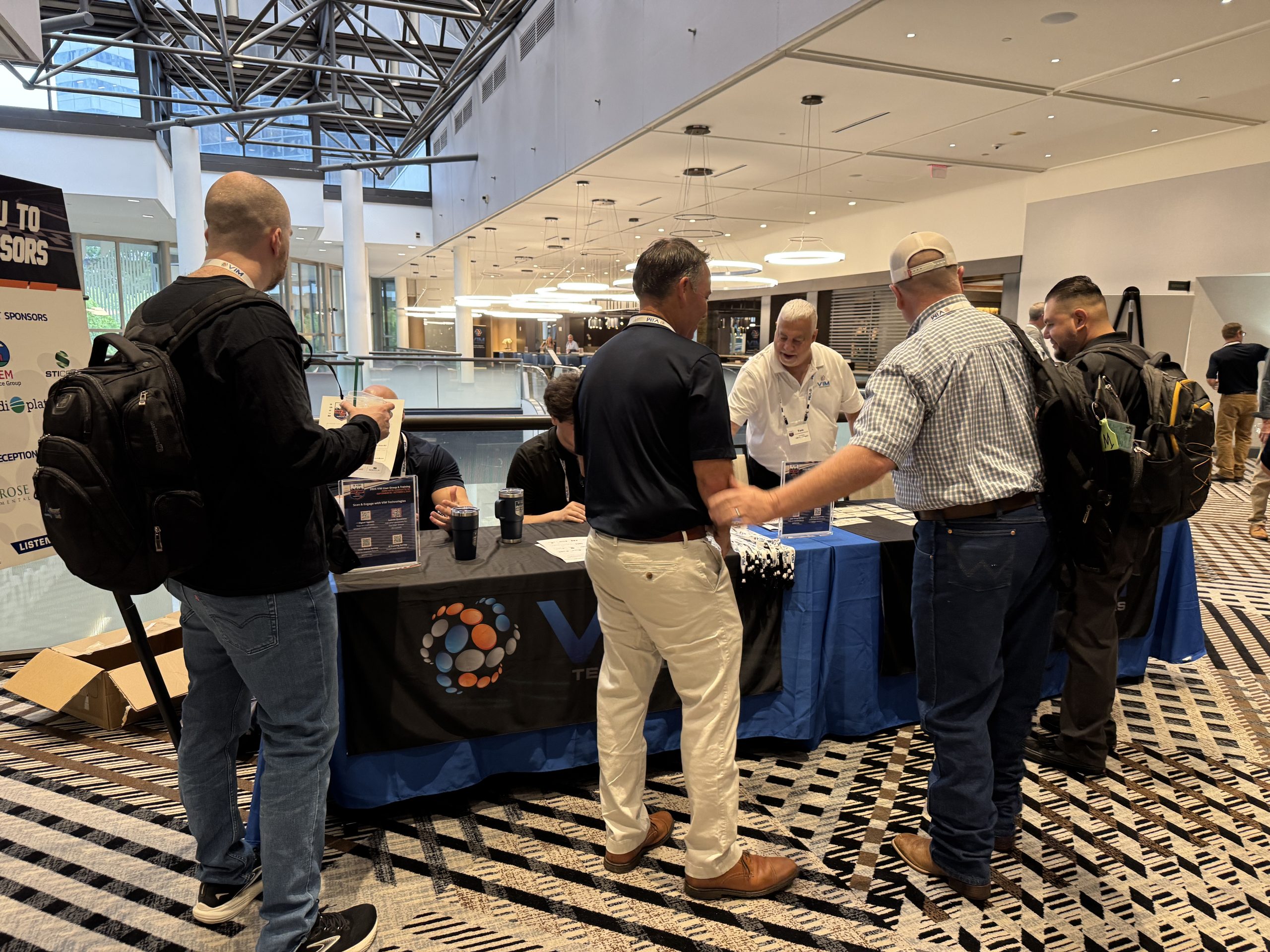
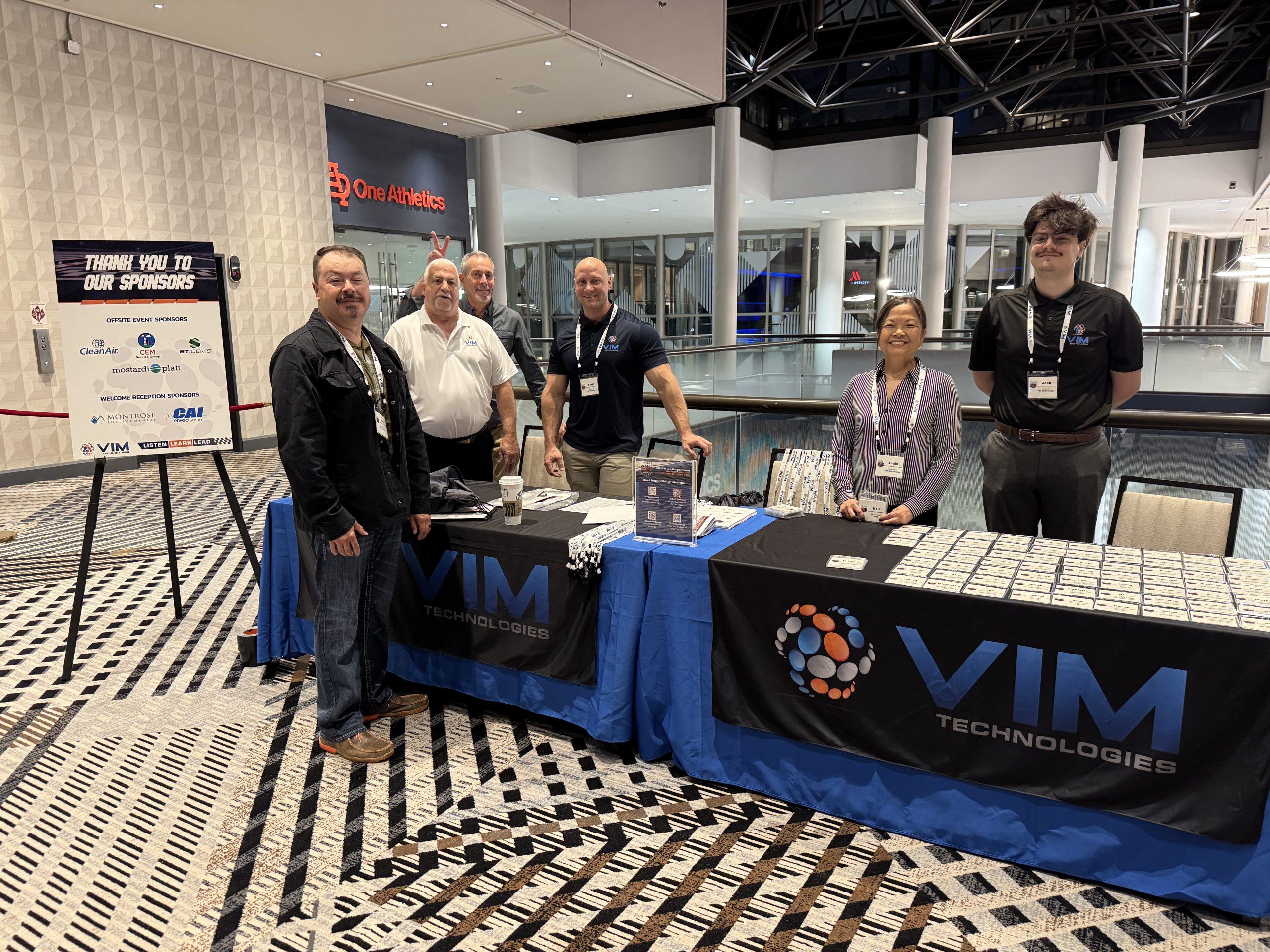
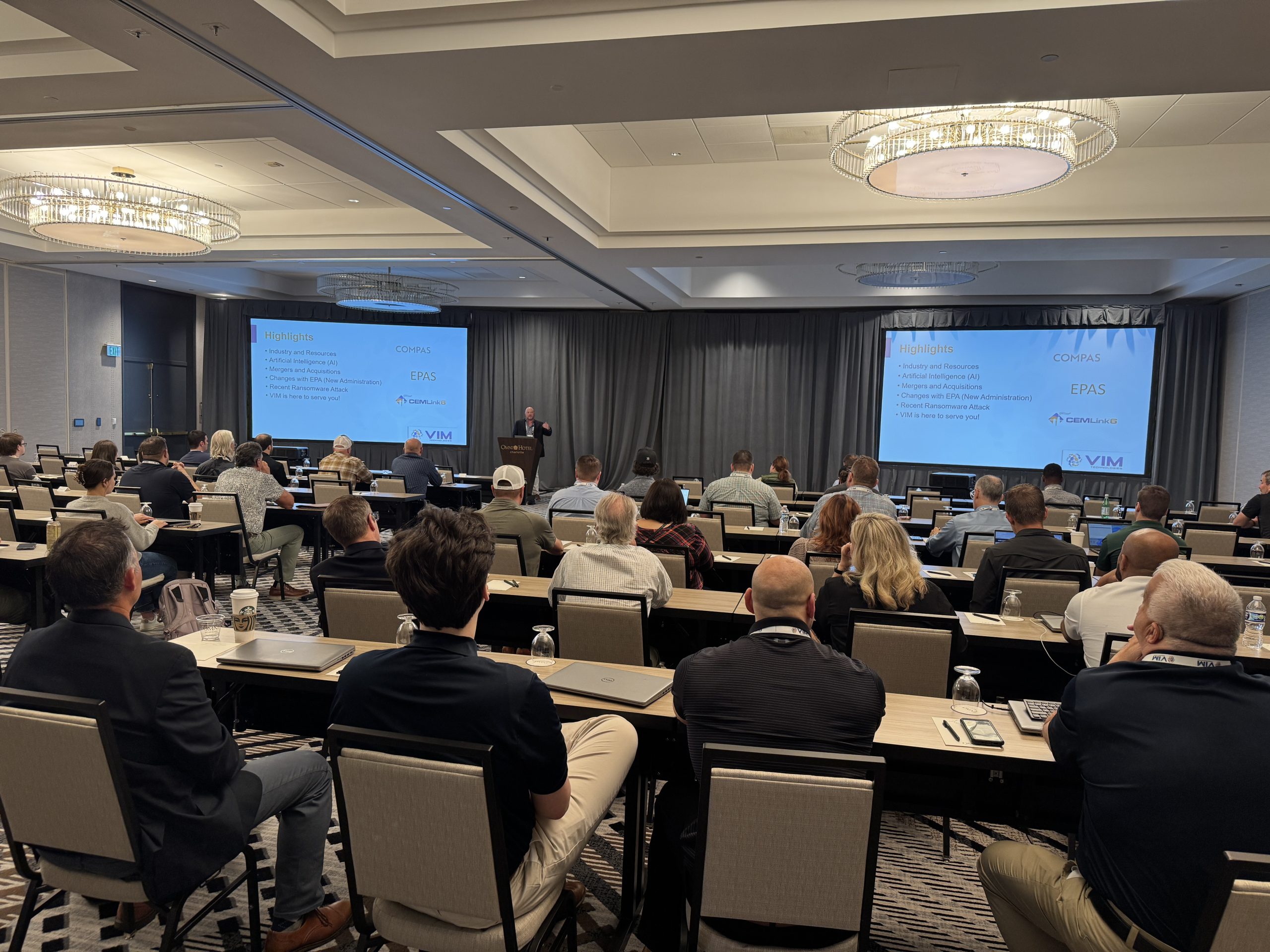
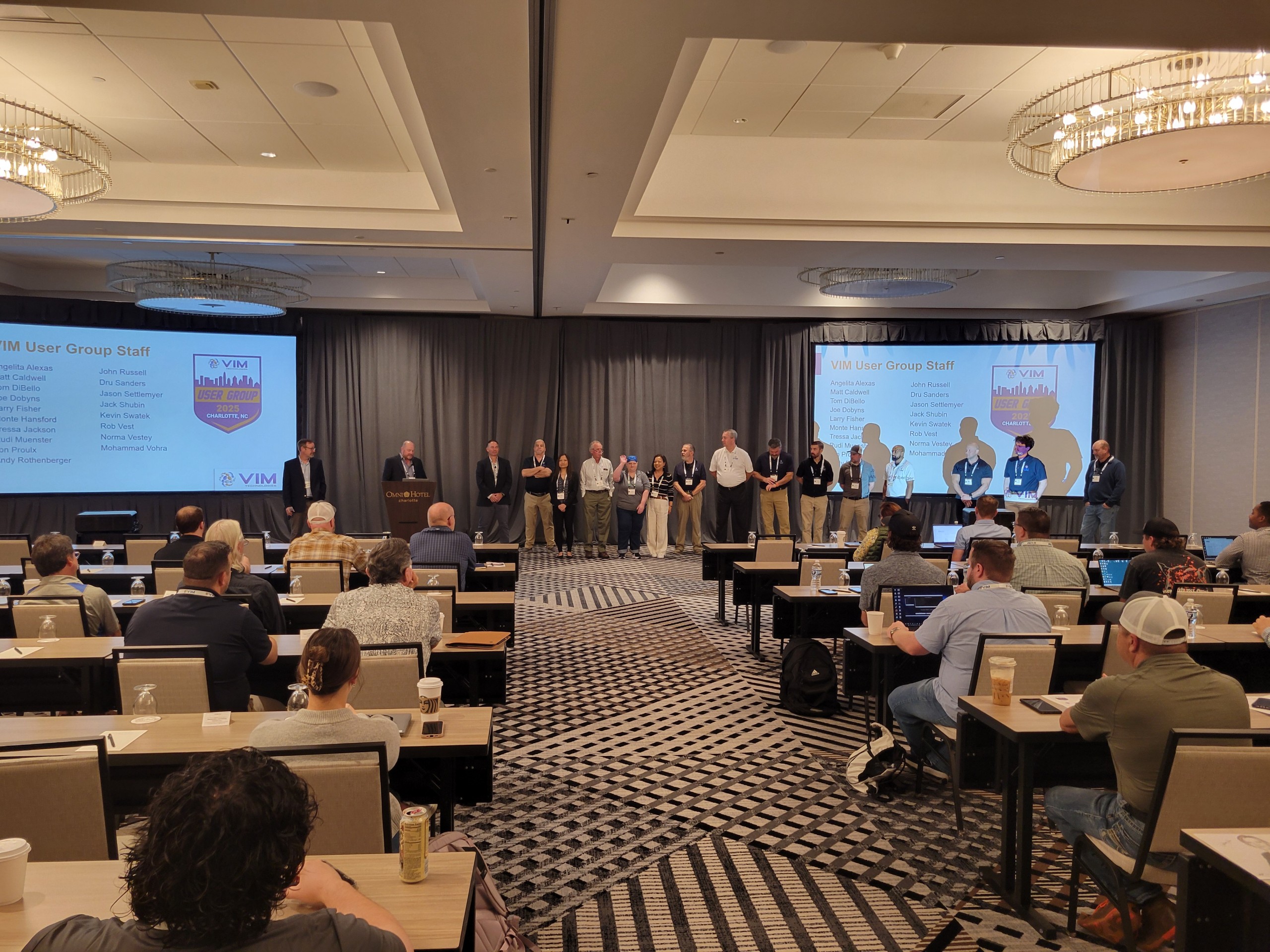
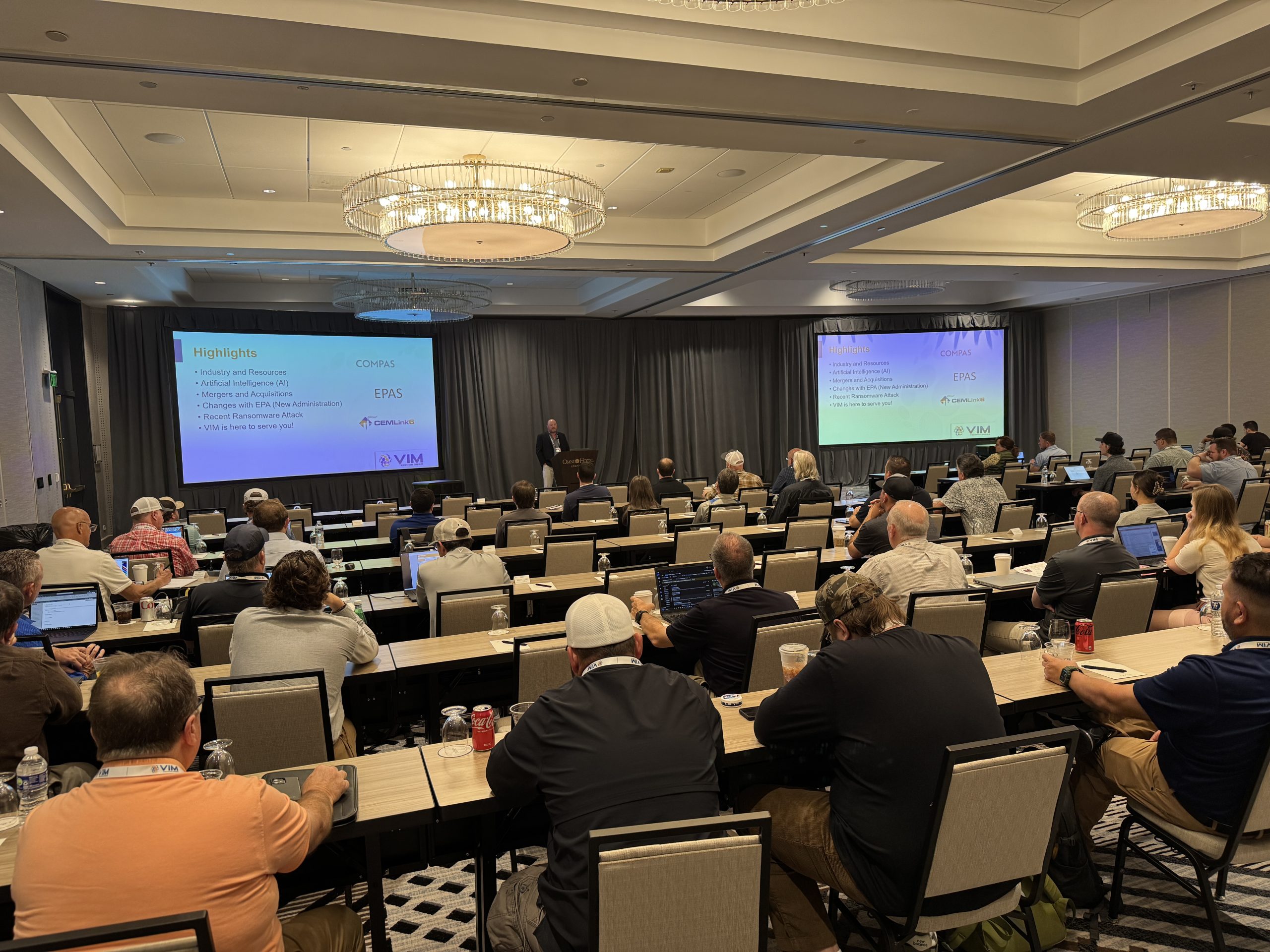
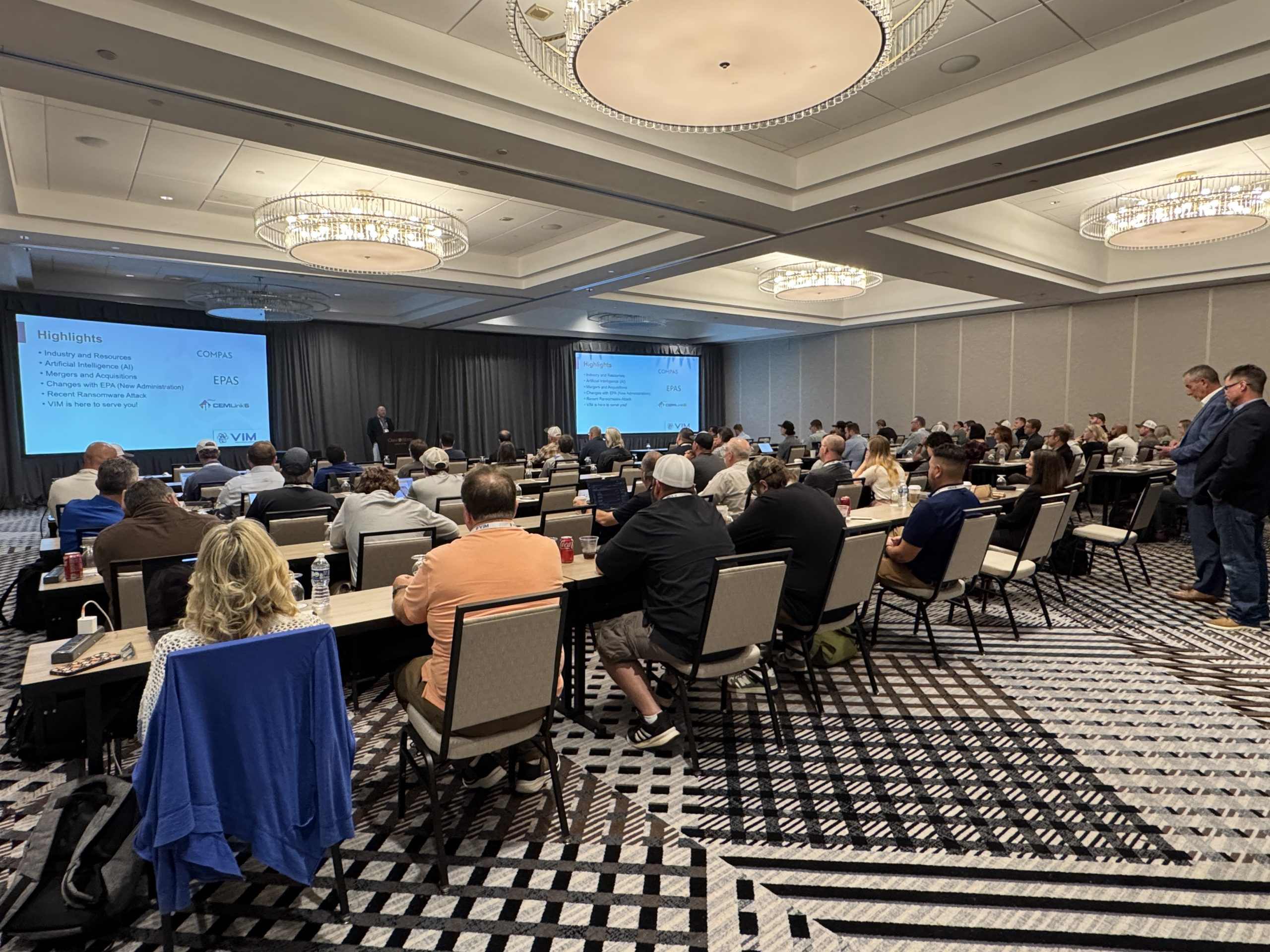
The 2025 VIM User Group & Training Event brought together environmental professionals, VIM customers, partners, and staff for three days of learning, collaboration, and connection in Charlotte, NC. Hosted at the Omni Charlotte Hotel, the event combined practical training, dynamic discussions, and exclusive experiences that left a lasting impact.

Training That Drives Real Results

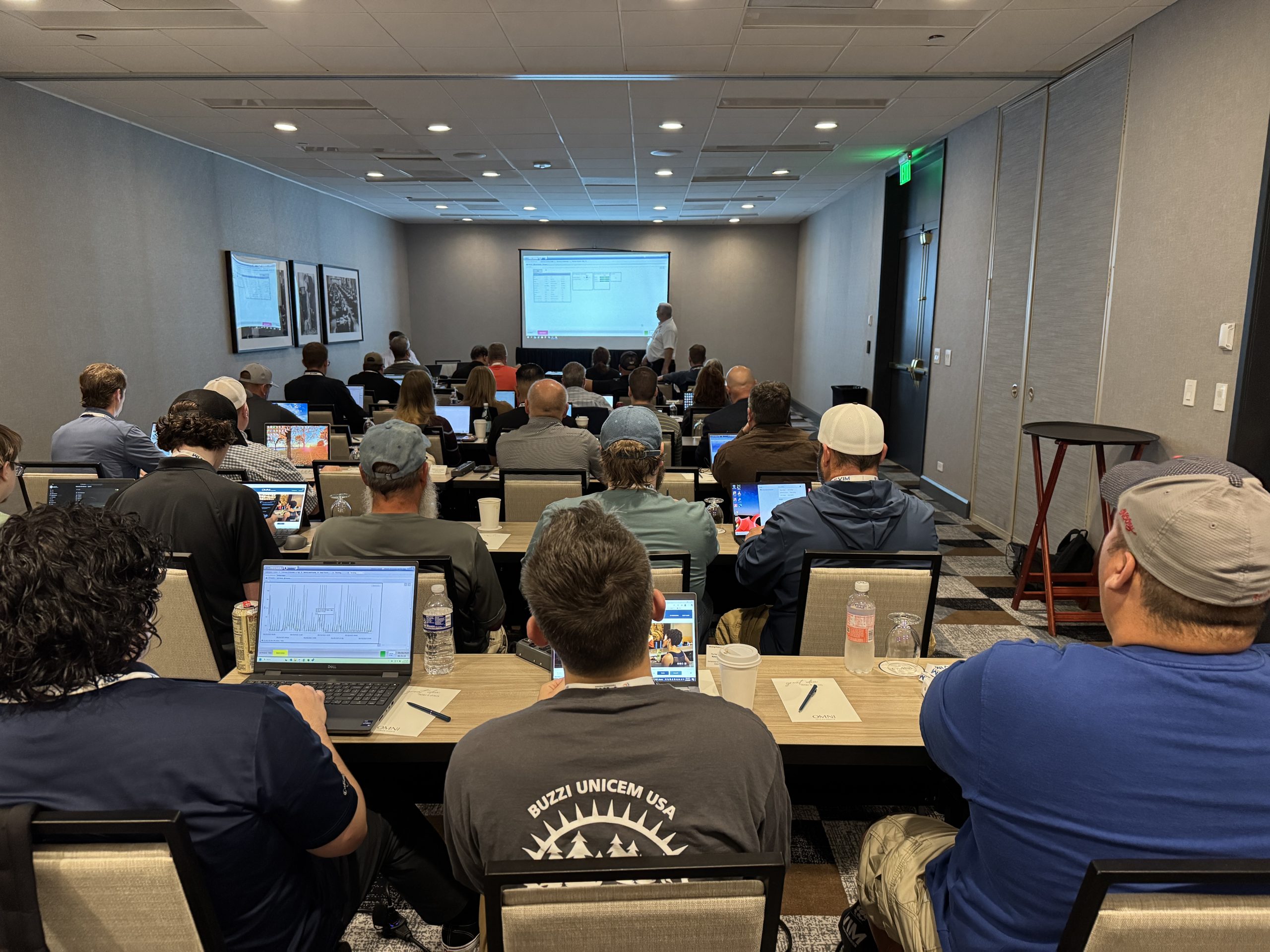
Our training sessions focused on delivering actionable knowledge to help attendees tackle real-world compliance challenges. From deep dives into the latest VIM features to strategies for navigating complex regulations, participants gained tools and insights to strengthen their teams and processes. Engagement was outstanding. Attendees came ready to learn, share, and apply new ideas. Feedback was clear: the sessions were relevant, practical, and energizing.

User Group Conversations That Spark Innovation

The User Group sessions were a hub for collaboration and forward thinking. VIM shared updates on product enhancements and future plans, giving attendees a clear view of what’s ahead. Partners contributed with informative talks on compliance trends and best practices, adding valuable perspective to the discussions.

Chris Worley, Environmental Policy Analyst at the U.S. EPA, joined remotely to share an update on the ECPMS 2.0 Re-Engineering Project and answer audience questions, providing valuable regulatory insight and reinforcing the importance of industry collaboration. These sessions sparked ideas and strengthened our community.

Exclusive Experiences That Made It Memorable

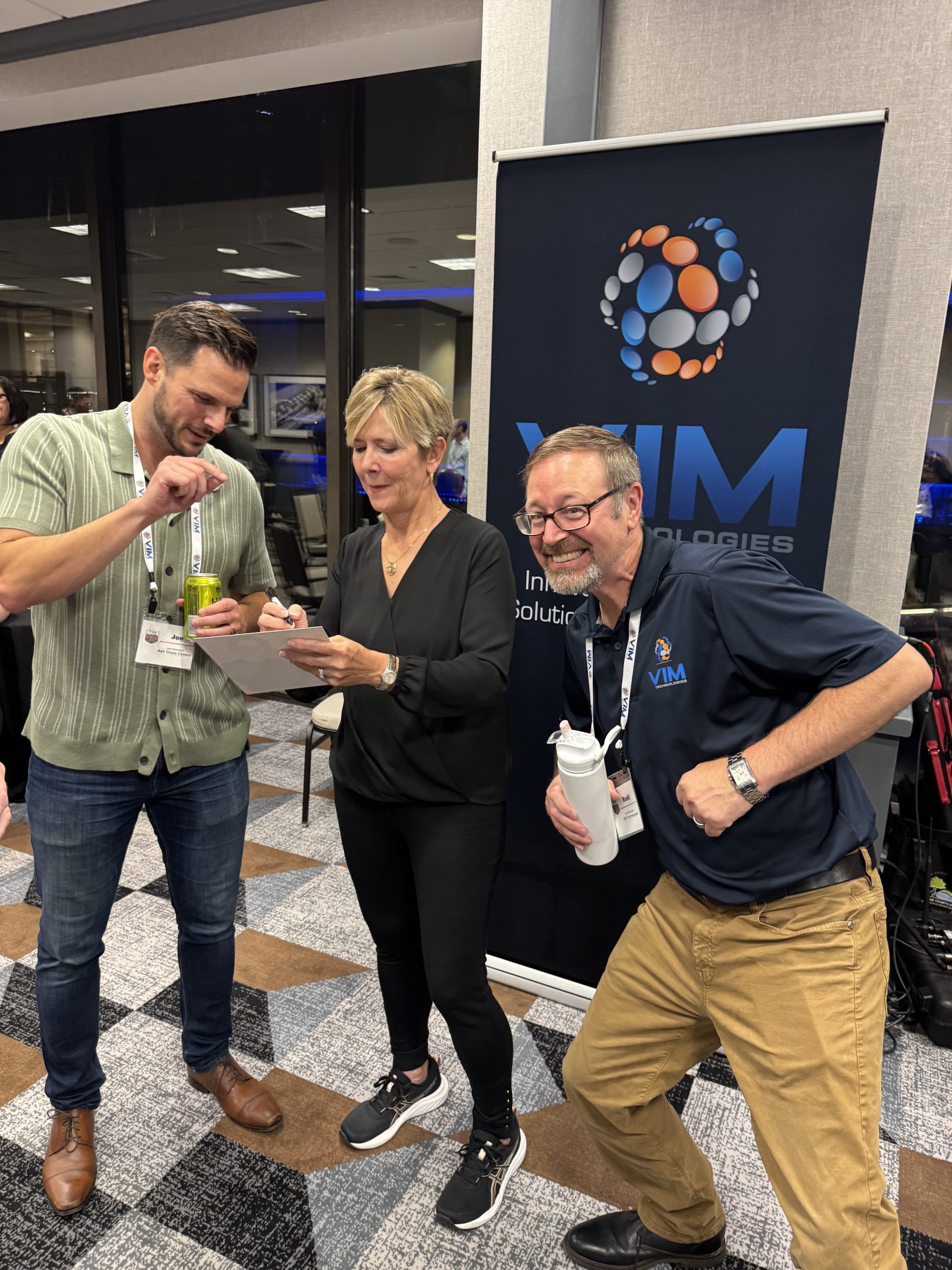
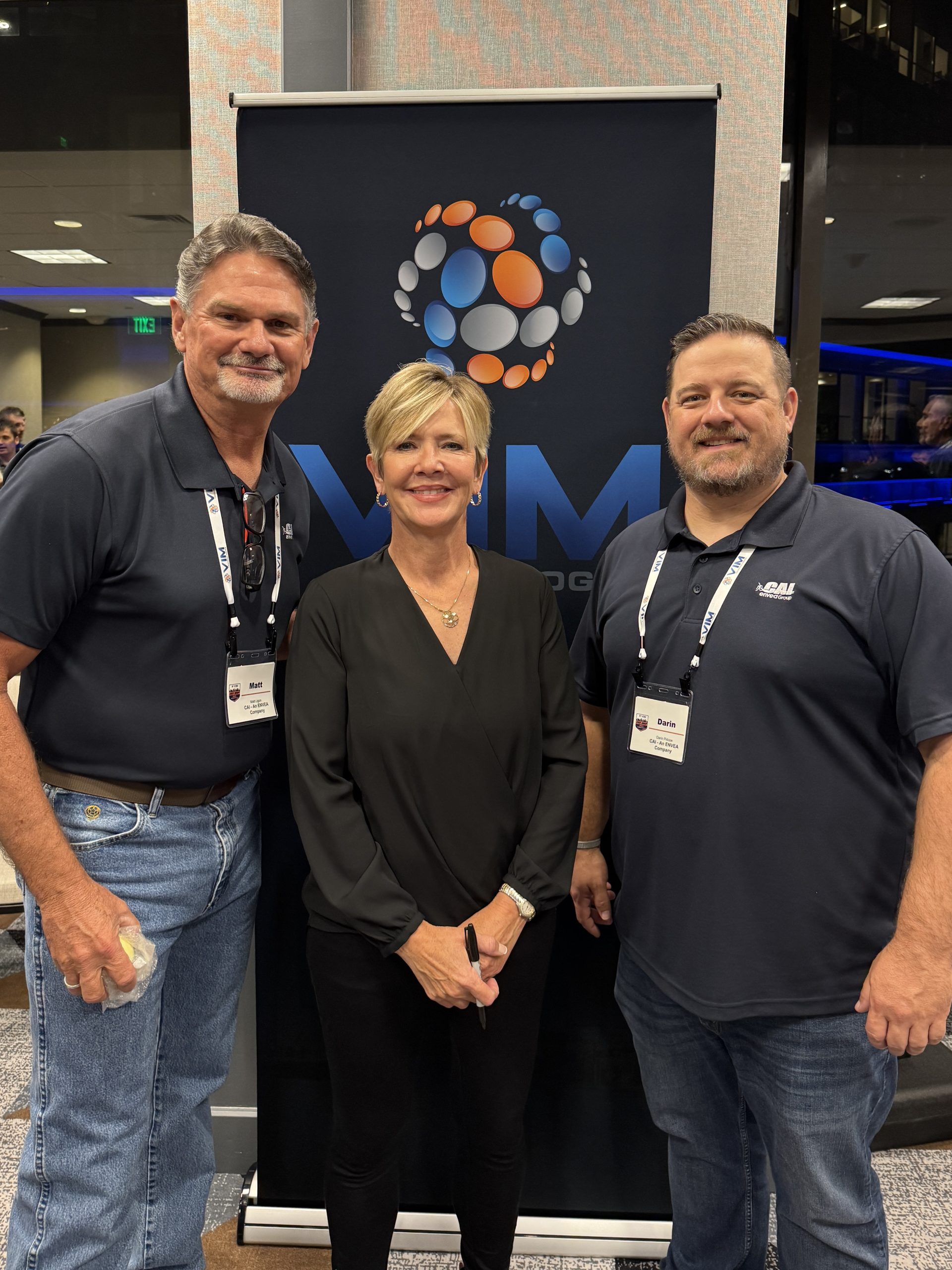
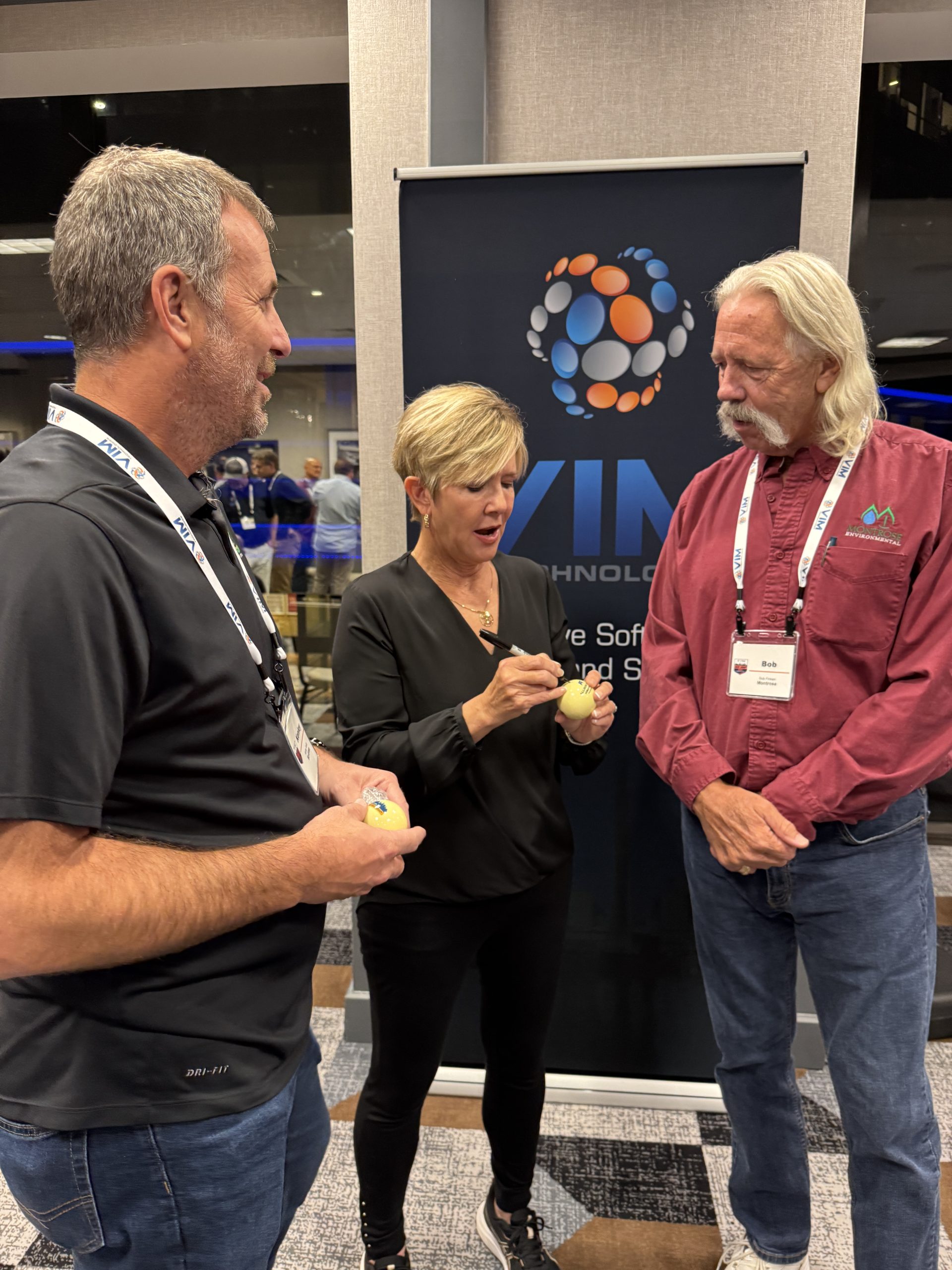
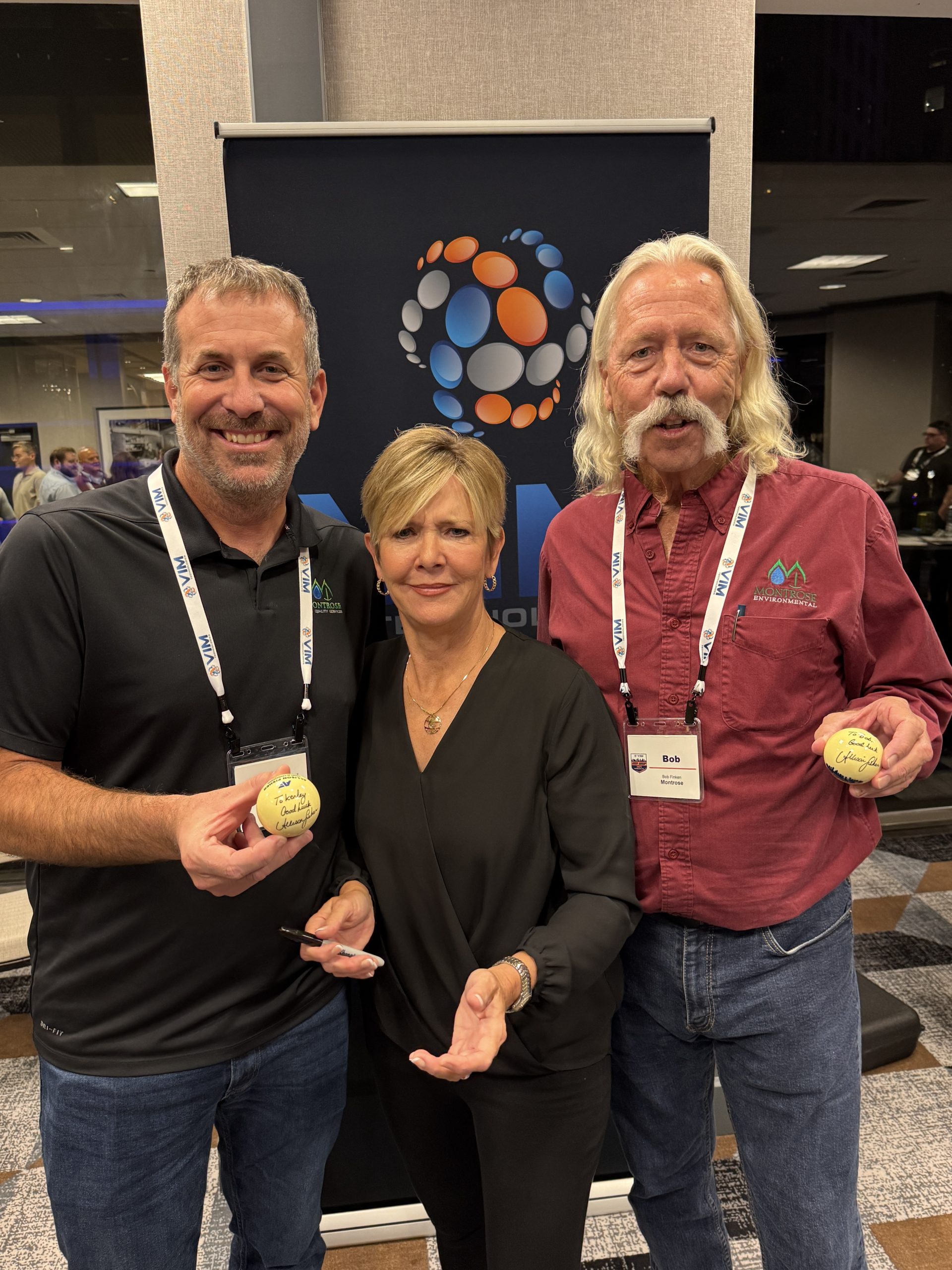
Welcome Reception with Allison Fisher, MBE
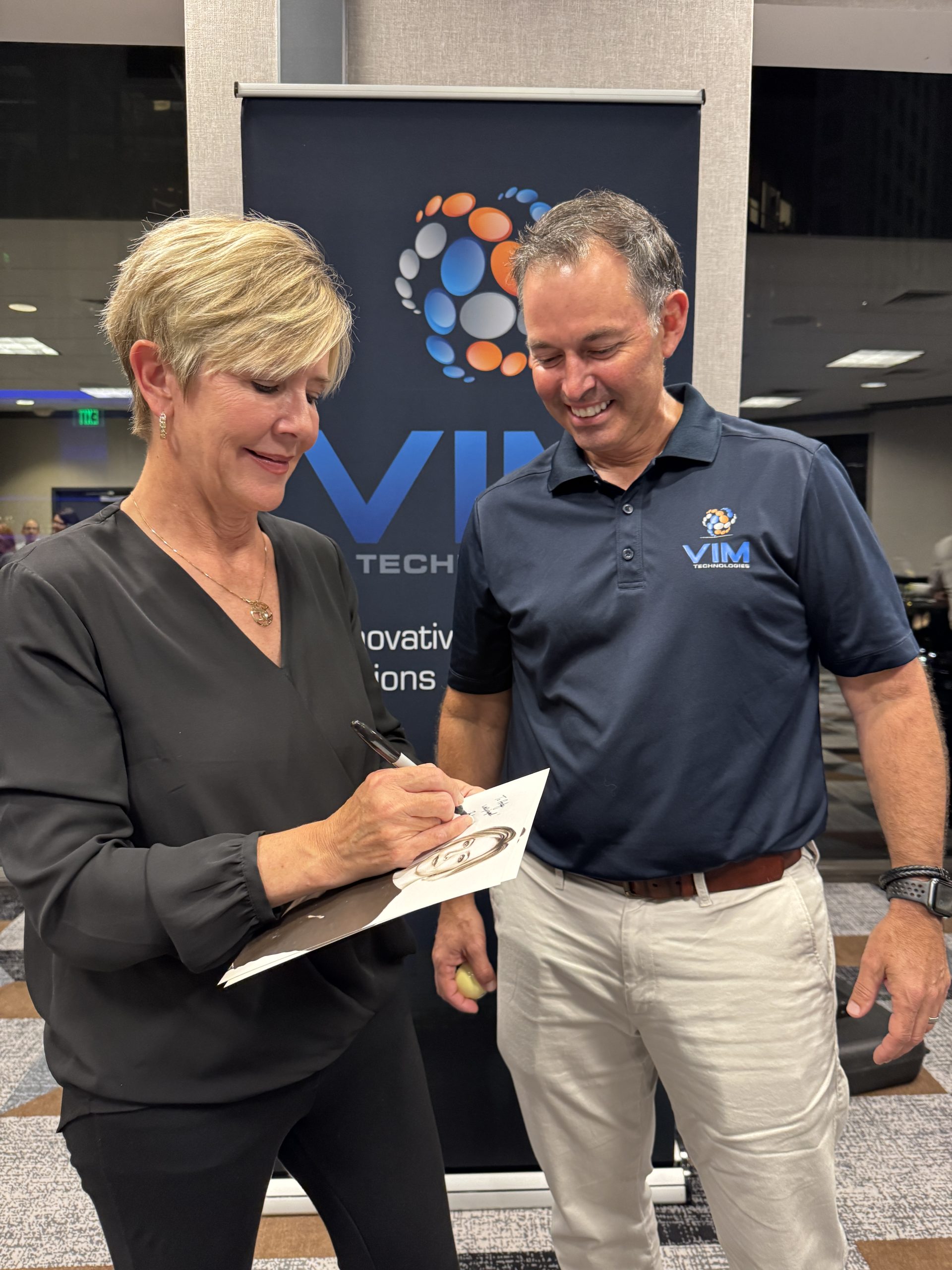
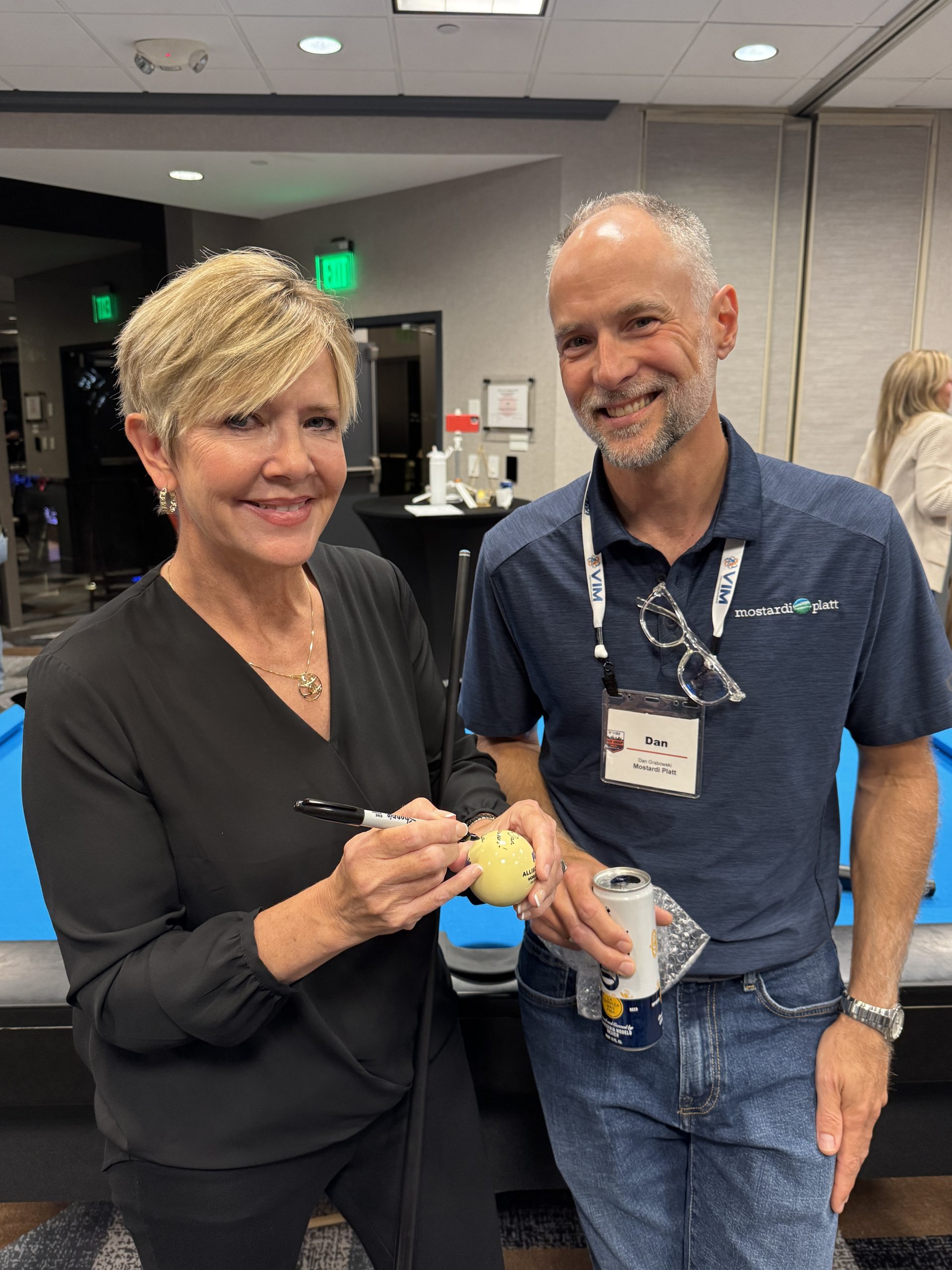
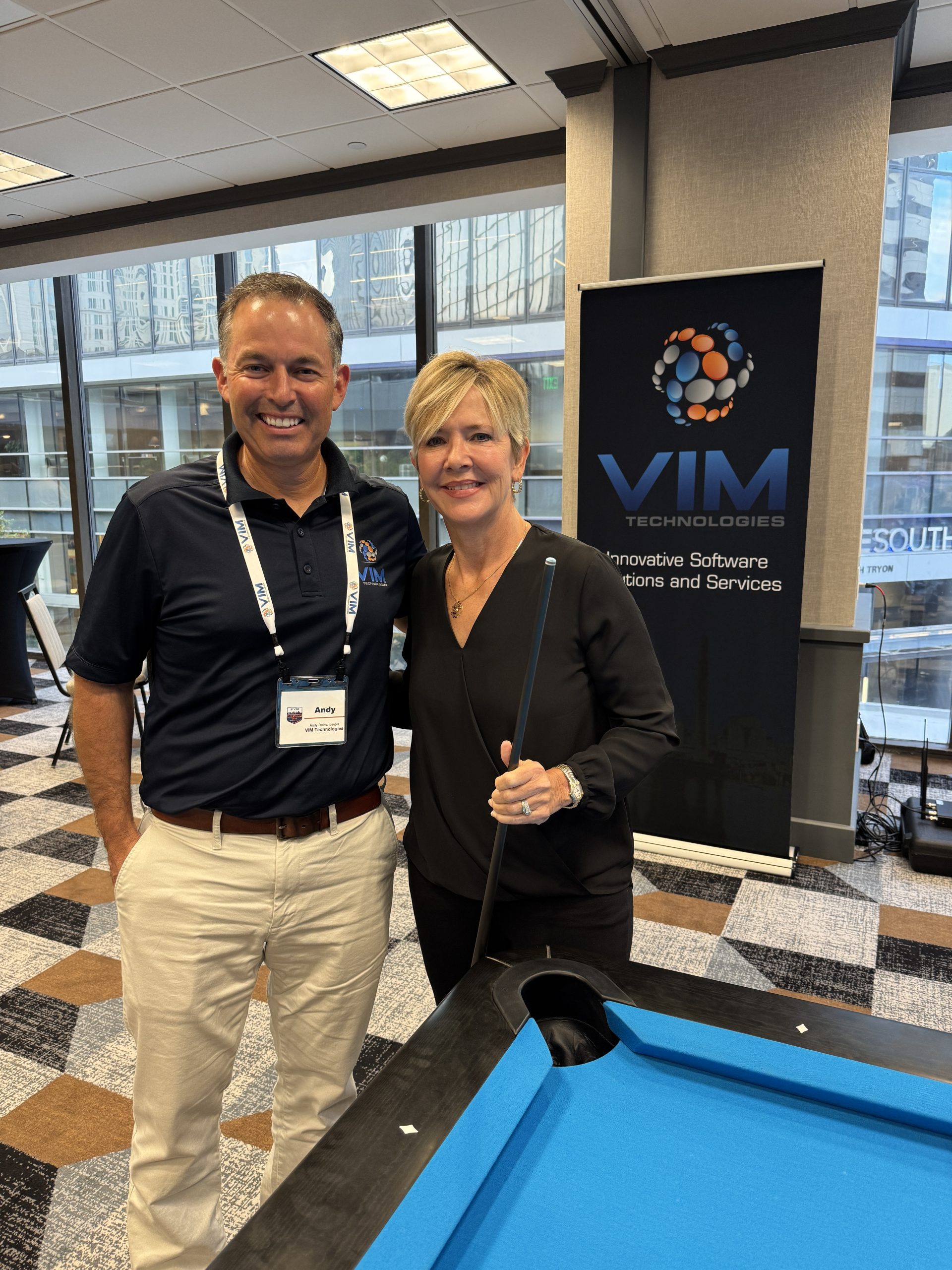
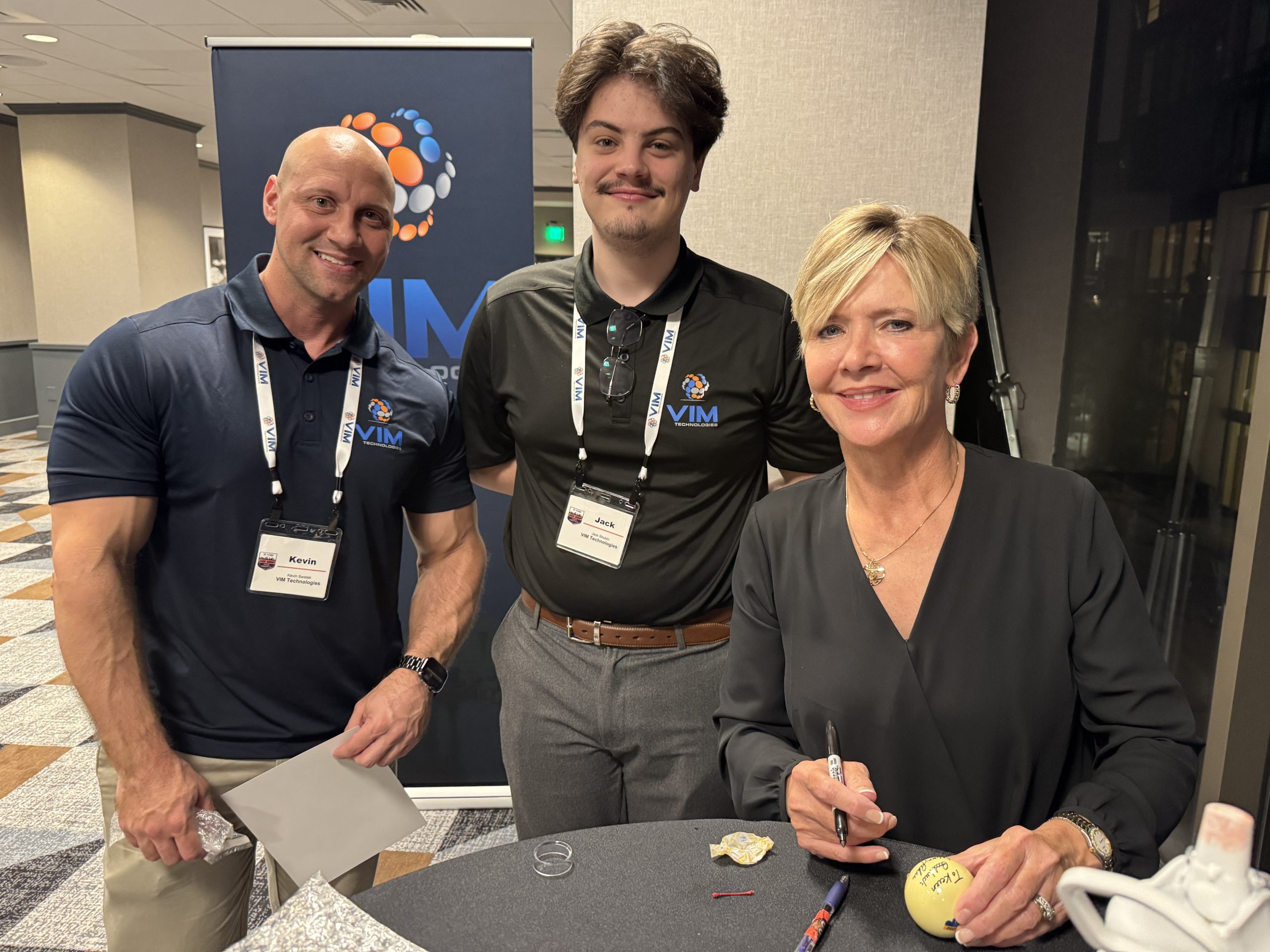
One of the week’s highlights was our Welcome Reception featuring Allison Fisher, the most decorated female pool player in history. Allison captivated the audience with a live exhibition, inspiring stories, and even challenge matches with a few lucky attendees. Her presence added a personal and unforgettable touch to the event.

NASCAR Hall of Fame Offsite
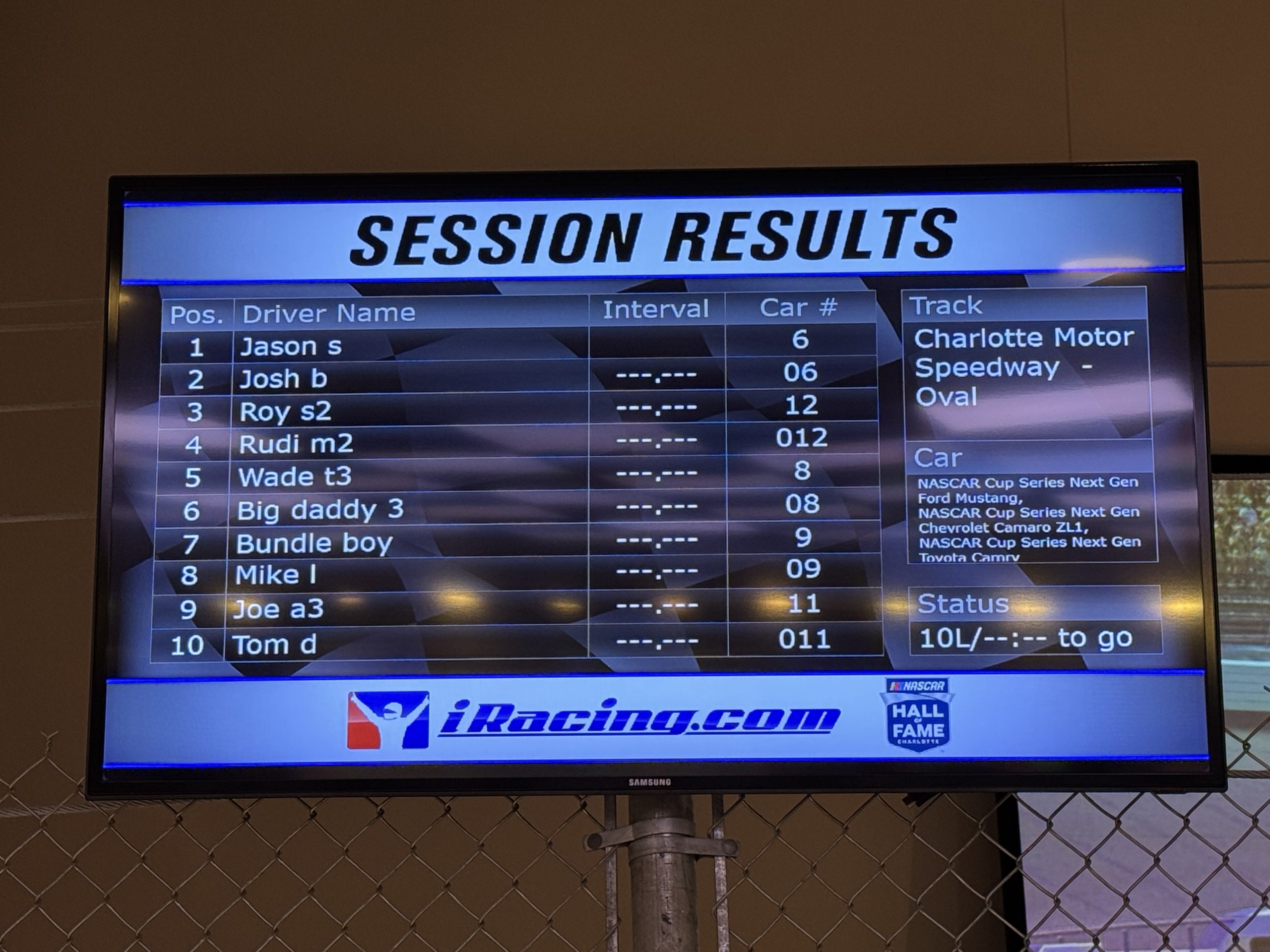
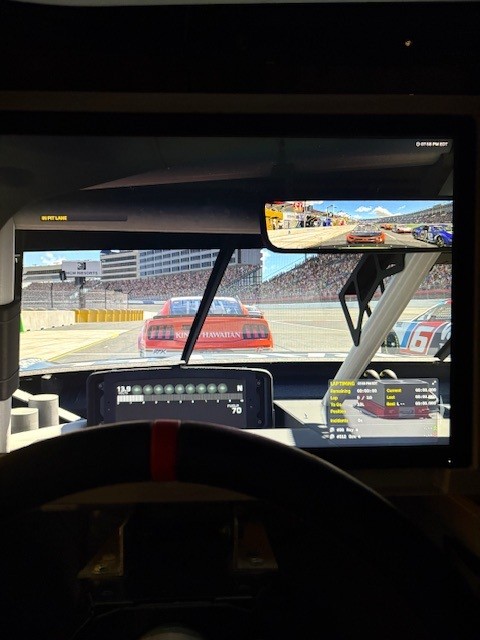
On night two, we shifted gears for a private event at the NASCAR Hall of Fame. Attendees explored racing history, tested their skills in simulators, and teamed up for the Pit Crew Challenge, all while enjoying great food and camaraderie. It was an evening of fun and connection that brought our community even closer together.

A Heartfelt Thank You

This event wouldn’t have been possible without:

  • Our sponsors and exhibitors, whose support helped make the event possible and enjoyable for everyone.
  • Our customers and partners, for your enthusiasm, insights, and trust in VIM.
  • Our VIM team, for your hard work and attention to detail in planning and delivering a successful event.

Thank you to Our Premium Sponsors

The connections made and knowledge shared in Charlotte will stay with us long after the event. We’re grateful to everyone who joined and contributed to making this gathering so meaningful. Thank you for being an important part of the VIM community.

EPA Publishes Proposed Rule to Repeal Certain MATS Amendments

On June 17, 2025, US EPA published a proposed rule entitled, National Emission Standards for Hazardous Air Pollutants: Coal- and Oil-Fired Electric Utility Steam Generating Units, in the Federal Register.  A copy of the proposed rule is available here.

The rule proposes to repeal certain amendments to the Mercury and Air Toxics Standards (MATS) Rule published on May 7, 2024.  More specifically, EPA is proposing to repeal the amendments listed below.

  • The filterable particulate matter (fPM) emission standard for existing coal-fired electric utility steam generating units (EGUs), which the EPA revised from 0.030 pounds per million British thermal units (lb/MMBtu) to 0.010 lb/MMBtu;
  • The compliance demonstration requirement for the fPM emission standard for all coal- and oil-fired EGUs, which the EPA revised from allowing EGU owners and operators to choose between use of quarterly stack testing, use of continuous parametric monitoring systems (CPMS), or use of PM continuous emission monitoring systems (CEMS) to only allowing use of PM CEMS; and
  • The Hg emission standard for existing lignite-fired EGUs, which the EPA revised from 4.0 pounds per trillion British thermal units (lb/TBtu) to 1.2 lb/TBtu.

In Section IV, Request for Comments, EPA is seeking responses to nine (9) questions related to the proposed action.  Comments on this proposed rule must be received on or before August 11, 2025.

VIM Technologies will continue monitoring the progress of this proposed rule and provide updates as new developments occur. We encourage affected facilities, industry professionals, and interested parties to review the proposed changes in detail and submit comments to ensure that their perspectives are represented in the final decision-making process. If you have questions about compliance or how these potential changes may impact your operations, please contact our COMPAS team.

VIM’s Exclusive EPAS Service Pays Dividends

VIM’s Exclusive EPAS Service Pays Dividends

VIM’s EPAS Service

Your facility’s environmental compliance program is only as strong as its documentation, procedures, and technical infrastructure. VIM Technologies’ Environmental Project Assessment Service (EPAS) is a turnkey solution to:

  1. Evaluate your current compliance framework
  2. Clarify applicable regulations
  3. Document systems, data flows, data validation, averaging, reporting, and procedures
  4. Recommend tailored improvements

Not sure of existing systems, antiquated and disparate documentation?  Bring it all to 100% with a complete assessment by VIM’s EPAS Service.

1. Deep Dive Compliance Evaluation

  • Regulation Gap Analysis
    We catalog every applicable federal and state regulation—down to emission limits, averaging periods (e.g., 24‑hour rolling vs. block averages), and validity criteria (startup/shutdown exemptions, valid data windows).
  • Process & Data Review
    From process‑signal availability to data‑validation rules, we document each environmental data point, its source, and document how it is currently being generated and reported.

2. Comprehensive Program Documentation

EPAS delivers a complete “snapshot” of your compliance program, including:

  • System Architecture Diagrams
    Network topology, communication protocols, data‐flow schematics, server and workstation placement.
  • Procedure & SOP Library
    Operating procedures, QA/QC plans, site specific monitoring plans, and maintenance checklists.
  • Intellectual‑Property Capture
    Transfer of tribal knowledge from long‑time operators into living, up‑to‑date documentation.

This library becomes your single source of truth—vital when onboarding new staff, working with compliance partners, or embarking on new projects/enhancements.

3. Technical Specifications

In many cases, “knowing what you don’t know” comes to roost early in the process of an environmental project.  Lack of clarity can result in project delays and cost overruns.  EPAS bridges that gap by identifying all existing systems and processes:

  • A fully detailed Technical Requirements Document, covering:
    • Complete up to date I/O documentation
    • Emission limits, averaging, validity rules
    • Regulatory report formats (federal, state, and internal)
    • Hardware footprints, data flow, communication protocols, and infrastructure
    • Software licensing, data‑backup and disaster‑recovery procedures

With these specifications in hand, you can move forward with confidence—knowing that all existing systems are documented with 100% accuracy.

4. Actionable Improvement Roadmap

Based on our findings, you receive a prioritized set of recommendations to:

  • Optimize data‑collection reliability
  • Strengthen QA/QC processes
  • Streamline reporting workflows
  • Reduce manual intervention and error potential
  • Align your compliance program with best‑practice benchmarks

Why EPAS Matters

  • Reduce Risk: Eliminate ambiguities that lead to non‑compliance or enforcement actions.

  • Save Time: Free your staff from reinventing the wheel every time systems and /or resources change.

  • Control Costs: Minimize rework, change orders, and overtime.
  • Future Proof: Build a living compliance framework that scales with new regulations and facility expansions.

Next Steps

  1. Schedule a Scoping Call
    We’ll review your current program and define the EPAS engagement scope.
  2. Engagement Kick‑off
    Onsite or remote workshops to gather data and interview stakeholders.
  3. Delivery & Debrief
    Walkthrough of findings, documentation handoff, and roadmap presentation.

Ready to make your compliance program bulletproof?

Contact VIM Technologies today to learn how EPAS can turn regulatory complexity into competitive advantage.